



Your Favorite Sound Presets, All in One Place — New Sonar Feature
Switch between your favorite saved presets with mere clicks!
As the Sonar preset library grows, we've created an easy solution to remembering and quickly choosing whatever preset you need at the moment.
The library of audio presets in Sonar is growing, so we have worked on making the functionality a lot friendlier. With the latest SteelSeries GG software update, you will now be able to keep the presets you love and use the most as favorites in a handy selection bar!
Our powerful EQ parametric presets make the audio even better for the games you play — from enhanced footsteps, bomb plantings, and other details, to greatly improved immersion through deeper bass. Whether you're tinkering with your own presets or switch between a few favorite games, this new feature will make it really easy to manage presets.
Add presets to your Favorites
When you head over to the Game tab in Sonar, you will see a new Favorites bar with empty icons. Use the search functionality and click the star icon to add presets to your bar. Add a few you use a lot, then you're able to click on their icons to quickly apply them without having to search for them again.

Drag and drop functionality to rearrange the icons is coming soon.
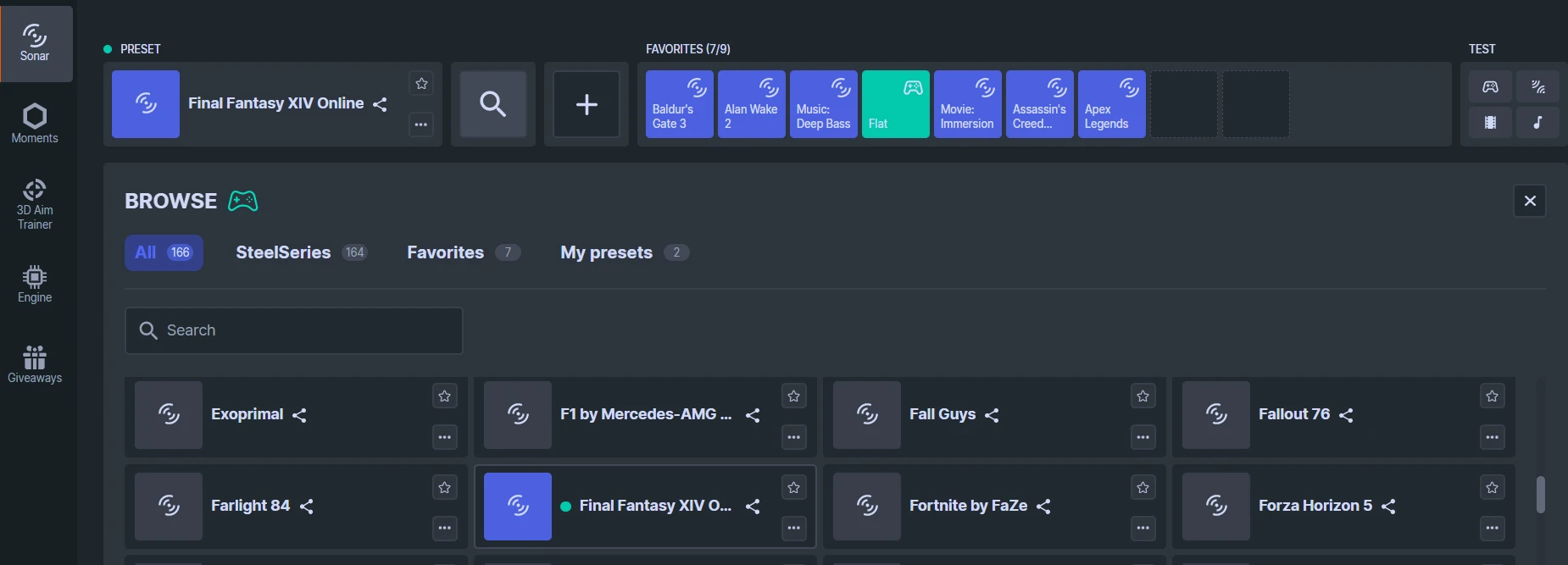
Make your own preset and change the icon

You can press the Add New button to create your own preset, name it, and choose a colorful icon. You can even put emoji into the title of your own preset.
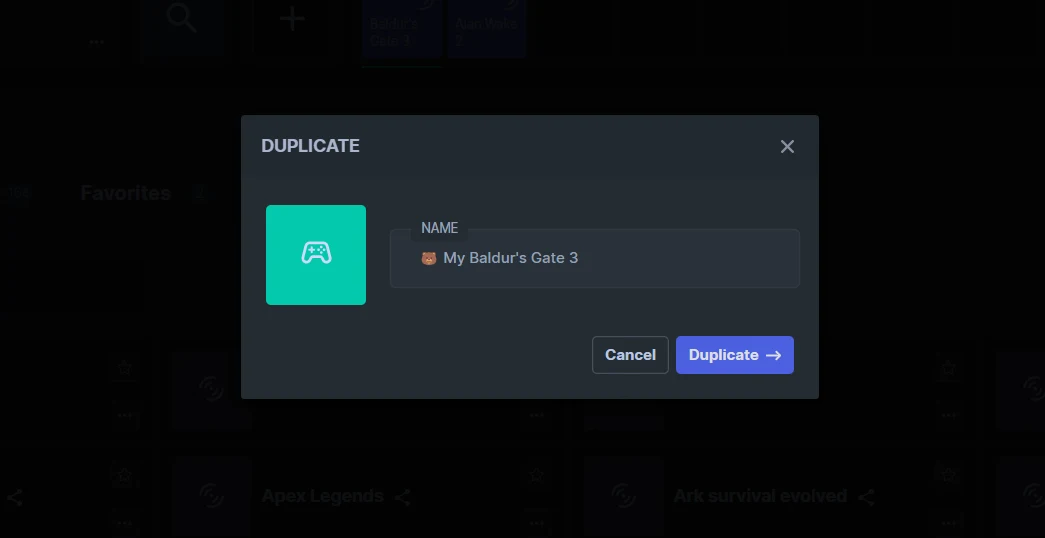
If you don't want to work from scratch, you can always duplicate an existing preset. If you, for example, wanted to modify the Baldur's Gate 3 preset more to your liking, you can click the three little dots, and then Duplicate it.
You can then rename it and pick your own icon for it, and then Favorite it, adding it to your selection up top.
All these audio presets are separated out by the tabs, so you have separate favorites for Chat, Media, Aux, and Mic. You can truly access all your favorite presets much more easily than before.
Have any cool presets to share with us? Are you a fan of the new Favorite feature? Let us know on our SteelSeries Discord. And if you haven't yet, download GG for free to try Sonar now.
Also check this out:
Wordsmith at SteelSeries. Enthusiastic about Dota 2 and fighting games. A cat dad.