From immersive graphics to responsive controls, gamers strive to create the ultimate personalized gaming experience. One crucial aspect that adds a touch of flair to your setup is RGB lighting. We want to help you create your dream lighting show, and you can do so easily with Engine, a powerful tool to tailor and automate your RGB settings within the user-friendly GG Software Suite.
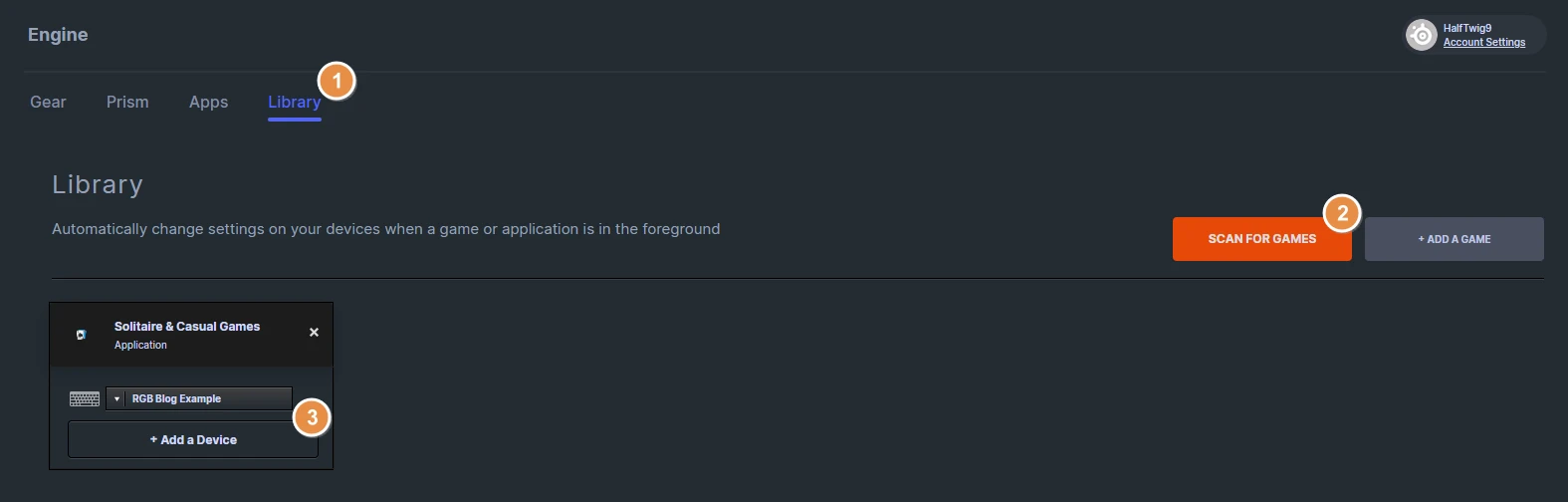
In a few easy steps, we'll show you how to automatically launch your created RGB preset that you assign to specific games. This way, whether you're playing CS:GO, Fortnite, or Diablo IV, you can have mood lighting appropriate to each title!
1. Download and Install SteelSeries's GG Software.
GG is the command center for SteelSeries gear. Whether you want to customize audio settings through Sonar, RGB Lighting in Engine, or share your greatest gaming Moments, GG is the lightweight tool to offer you everything you want and nothing you don't for free.
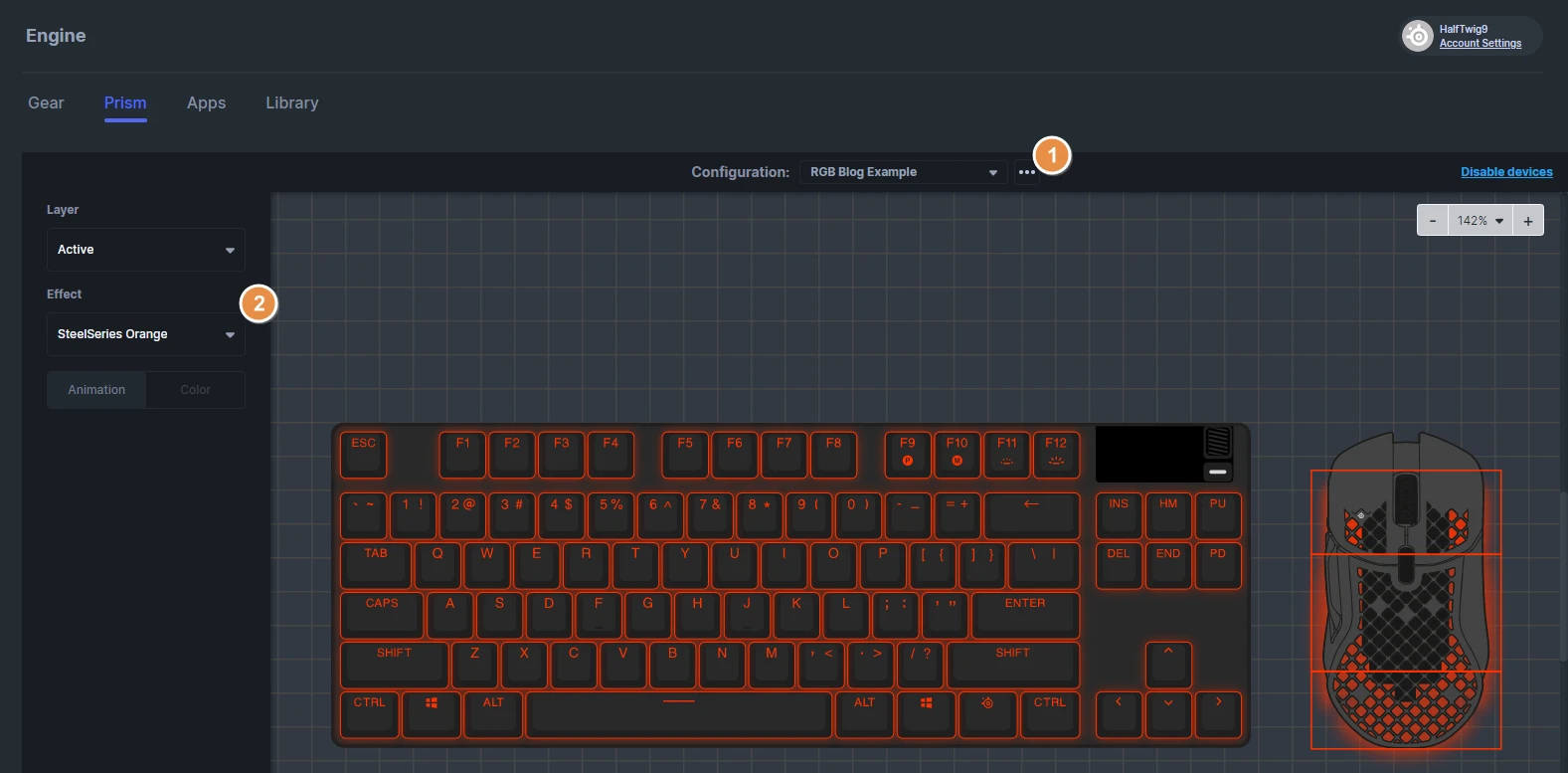
2. Navigate to Engine. Select Prism* to manage RGB Settings.
Prism is available for select devices to make setting up custom RGB settings across all devices a breeze. You can also create customized profiles for devices one-by-one by clicking into the device, and finding the Illumination tab.
3. Customize your RGB Settings.