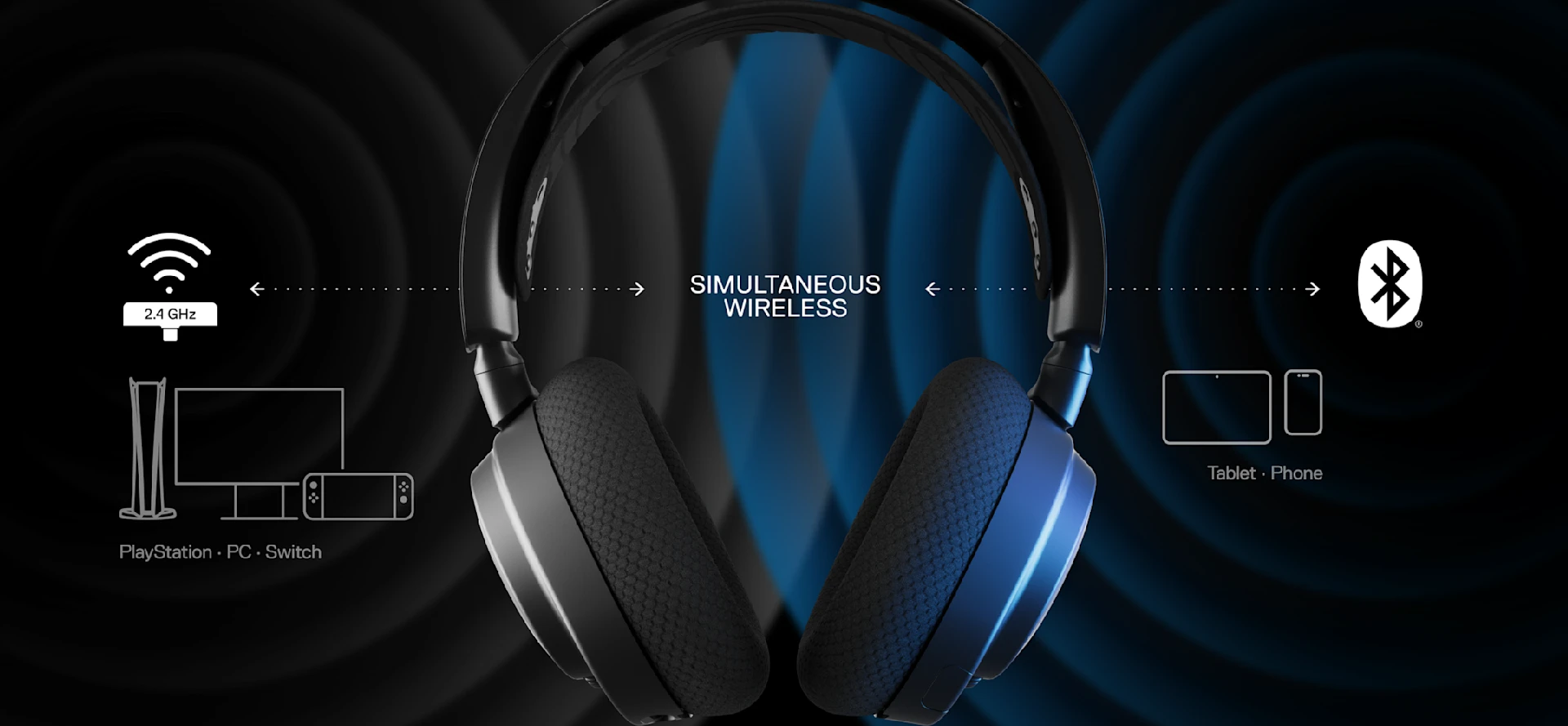
Arctis Nova headsets have a special function: listen to both 2.4GHz and Bluetooth wireless audio at the same time!
LU
About Luke Siuty
Wordsmith at SteelSeries. Enthusiastic about Dota 2 and fighting games. A cat dad.



Subscribe to our newsletter for exclusive updates on new products and sales. Act now and enjoy 10% off* your first full-price purchase!
*Exclusions apply. See terms. Read more about the SteelSeries Privacy Policy.
Arctis Nova headsets have a special function: listen to both 2.4GHz and Bluetooth wireless audio at the same time!
Wordsmith at SteelSeries. Enthusiastic about Dota 2 and fighting games. A cat dad.
I'm sure we all love multi-tasking. We want to both grind up gear in Diablo IV, and also score headshots in Call of Duty, all while listening to our favorite podcast, music, or even talking on the phone to our parent. With the Arctis Nova 7 Wireless and Nova Pro Wireless, it's all possible thanks to the Dual Wireless feature.
When your Nova 7 Wireless 2.4GHz dongle is plugged in to your Nintendo Switch, PC, or other console, you can also turn on the Bluetooth function and connect a device such as your phone to listen to both sources at once. Similarly, you can do so with the Nova Pro Wireless when your Wireless Base Station is already hooked up to a device.
We'll go over the pairing setup and some useful controls to get you going.

First, make sure that your headset is turned on. Then, long press the Bluetooth button on the headset (holding it for a second will make it beep by turning the Bluetooth on, but hold it for over 4 seconds for a different beep). If the light is blinking rapidly, that means pairing mode is initiated.
On your Bluetooth-enabled device, make sure "Scan" or similar function is on to see the Arctis Nova headset on the list, then connect them.
Now your headset should output both the audio from the Bluetooth-connected device as well as your PC or other compatible device that uses the Wireless Base Station or the dongle (2.4GHz connection is recommended for gaming).
Now that your Arctis Nova 7 or Pro Wireless are connected via Bluetooth, the Bluetooth button itself on the headset can control your media.
BT Button Single Press: Answer/End Voice Call
BT Button Single Press: Play/Pause Music
BT Button Double Press: Skip Current Track
BT Button Triple Press: Previous Track
Now you have the freedom to listen to two different audio sources at once, or take a phone or Discord call with your cell. The possibilities are only limited by you!
Make sure to check out the new headset variants for a stylish look: Arctis Nova 7P Wireless White and Arctis Nova 7X Wireless White.