


Best Sonar EQ Settings to Hear Footsteps in Black Ops 6 & Warzone
Make sure no enemy can get the jump on you ever again.
Hearing footsteps is a crucial element of survival in BO6 and Warzone, and you can use the Sonar software to hear footsteps much clearer.
Knowing where your enemy is half the battle during any match of Call of Duty: Black Ops 6 or Warzone. If you know where the enemy is located, you have a much stronger chance of taking them down. While you can use your mini-map to quickly locate enemies, they can change positions in the blink of an eye. When that happens, your mini-map becomes much less effective and you have to rely on audio cues to help you out.
Namely, footstep audio is key to knowing where an enemy is and how you can get to them. Black Ops 6 and Warzone offer some ways to boost footstep audio through the different audio preset settings, but they aren’t overly effective. Instead, what you can use is Sonar, a software within the SteelSeries GG application. Sonar allows you to take control of your audio in Call of Duty and gives you an edge over any opponent.
What is SteelSeries Sonar?
You can access the Sonar software by downloading the SteelSeries GG app. The app is installed on your PC and requires you to make an account to use it. Once it’s installed and your account has been created, you can begin using everything SteelSeries GG has to offer.
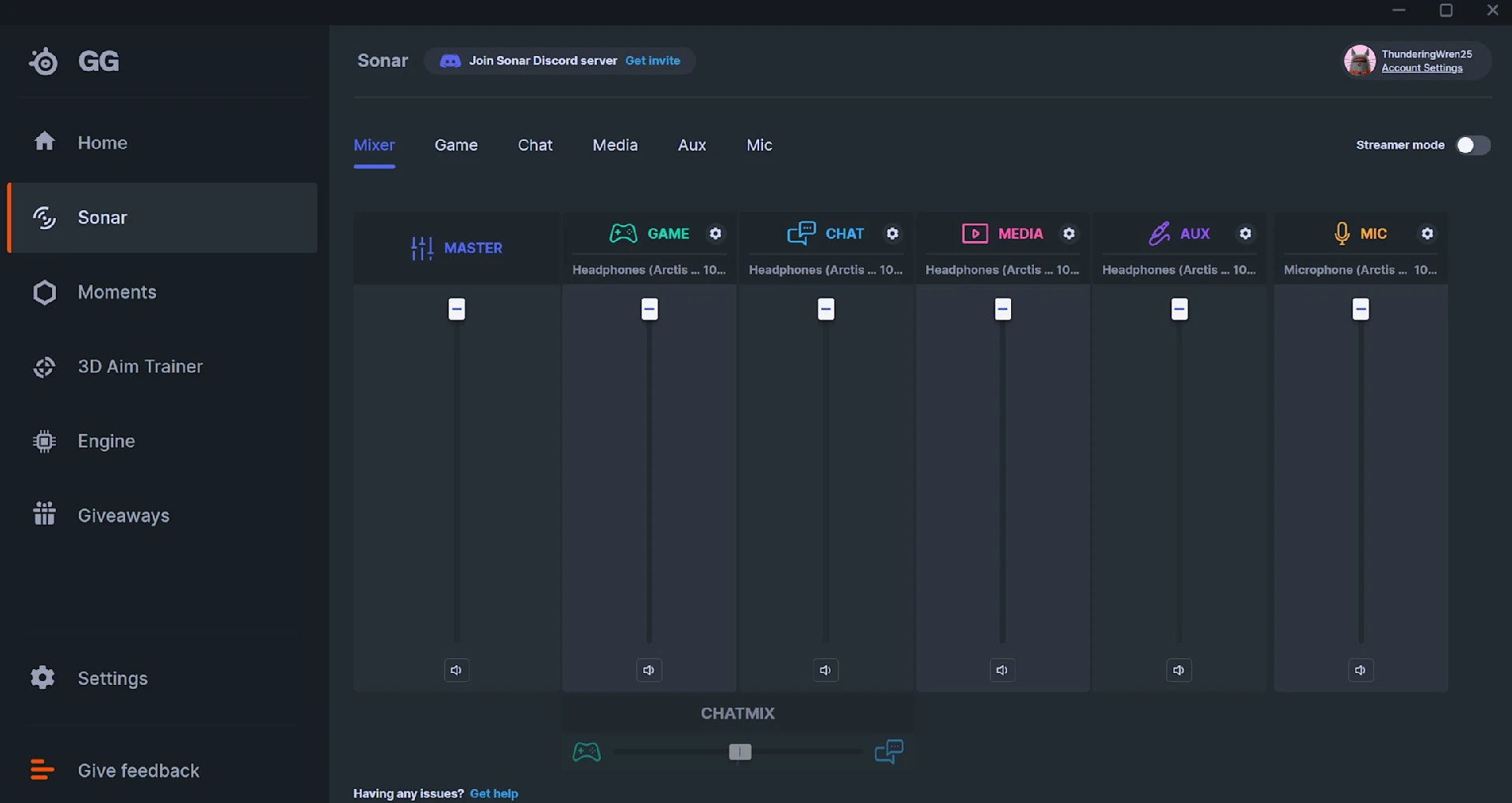
If you’re just looking to use Sonar, click on its icon on the left-hand menu. This presents you with a mixer, which allows you to separate your audio sources into their appropriate categories. The Sonar software offers a tutorial that goes through how to set everything up, which we highly recommend going through and following.
At the top of the Sonar page, you’ll see a tab called “Game.” Click on that and you’ll bring up an EQ chart. The EQ chart can either be customized to your liking or you can select a preset for whatever game you’re playing. In this case, you’re playing either BO6 multiplayer or Warzone. You can select a preset by clicking on the box under “Preset” at the top of the screen. Here, a menu appears with a wide range of games that all come with their own EQ preset.
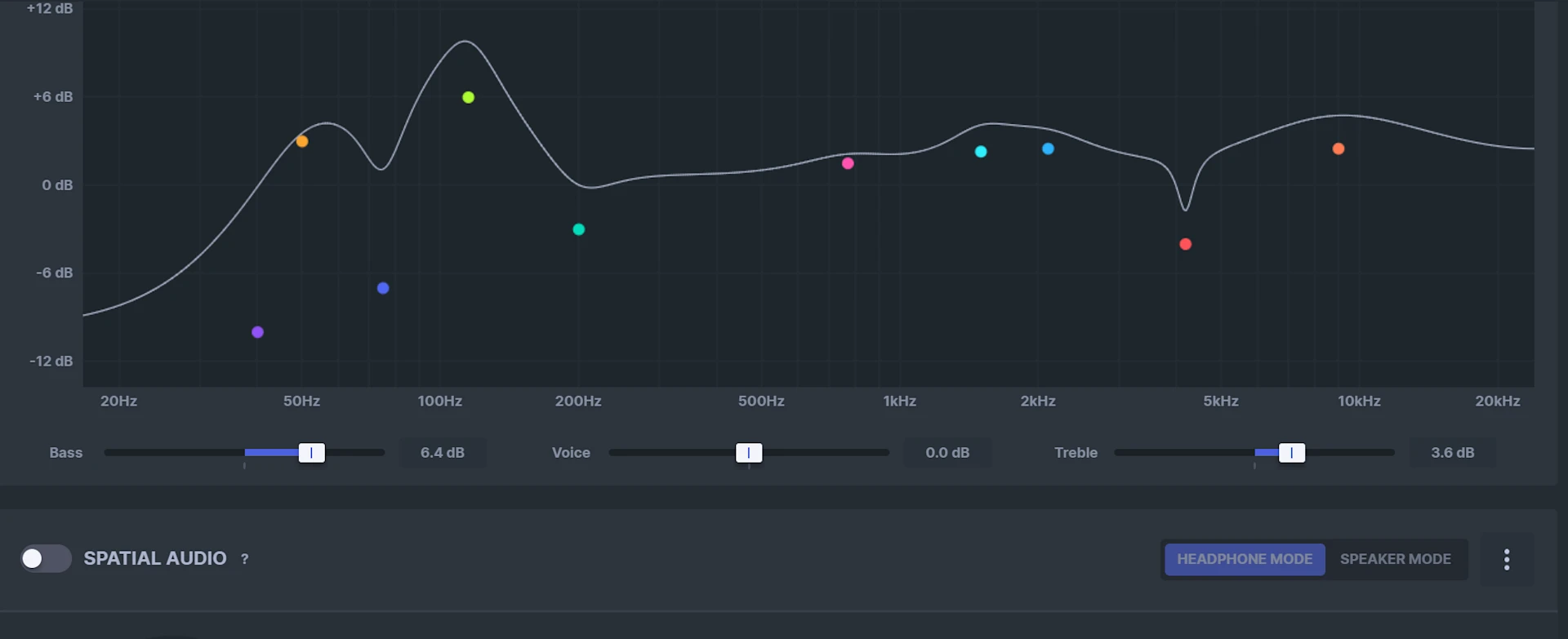
Find Call of Duty: Black Ops 6 or COD Warzone and select it if you want to use Sonar’s preset. These presets are custom-built EQ charts that are tailor-made to hear footsteps better, reduce gun sound, and boost any other pertinent noises you need to hear throughout a match. You can also click through other audio sources, such as “Chat,” “Music,” and others to customize their EQ as well.
To ensure you have the correct audio sources selected, go back to the Mixer and look under each audio source’s name. If the right audio source isn’t selected, click the cog icon and pick the right “Playback” source. To make full use of the Sonar software, you need to have the Sonar audio source selected for any playback device you want to use. For example, the “Game” audio source needs to be set to “SteelSeries Sonar - Gaming.” There is a Steel Series Sonar playback device for all of the audio sources. It’s also important to remember to set the right audio source in your game’s settings as well.
With all of that set, you’re ready to hop into a match of BO6 or Warzone. However, there are some tweaks you can make to the EQ yourself to hear footsteps even clearer.
Best EQ Settings for BO6 and Warzone
Customizing the EQ chart can seem like a daunting task, as some letters and numbers might not make a ton of sense. Fortunately, Sonar makes it simple to set your EQ values to whatever you like. The software also allows you to import custom EQ profiles so you don’t have to tinker with anything yourself.
The best custom EQ profile that we were able to find for BO6 and Warzone is one by YouTuber GadgetryTech. The YouTuber spent hours fine-tuning the EQ to hear footsteps better and boost all of the important sounds in Call of Duty. You can directly download the EQ profile by clicking on this sentence’s link while you have Sonar open on your PC. From there, accept the profile and then it will be successfully imported into Sonar.
Once that’s done, you can either choose to leave the EQ settings as they are or continue to tinker with them. From my experience, these EQ settings are perfect for hearing footsteps, especially for those of you with a SteelSeries Arctis Nova 7 Wireless headset.
With Sonar set up and your EQ settings all customized, you won’t ever have to worry about hearing footsteps again in BO6 or Warzone. To help you out even further, make sure to check out our guide on the best overall loadouts for BO6 multiplayer so you’re ready to shoot at the enemies you hear.
Also check this out:
Joey Carr is a seasoned esports and gaming journalist with over 7 years of experience. He has covered major events like DreamHack Atlanta, Call of Duty Championships 2017, and Super Bowl 53.