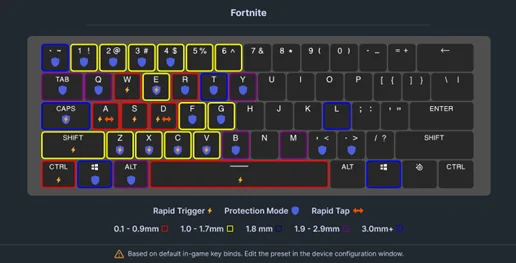
Here, you have four different actuation ranges configured. Protection mode, Rapid Tigger & Rapid Tap on. And they’re all gathered in one preset, Available in only one click!
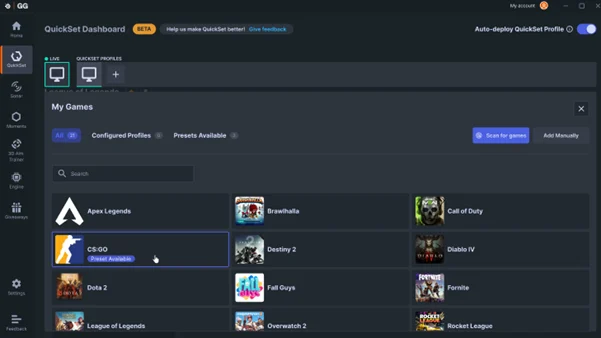
Here is a sample list of popular games with GG QuickSet profiles by SteelSeries. We will continue to add more game presets over time.
Fortnite
Valorant
Counter-Strike 2
League of Legends
Dota 2
PUBG
Rainbow 6: Siege
Apex Legends
Overwatch 2
Minecraft
Destiny 2
COD Warzone
We teamed up with pro player ambassadors like the FaZe Clan CS2 team, Wackyjacky101 for PUBG, and Gaimin Gladiators for Dota 2 to recreate their winning setups. Now, you can get their game-winning configurations exclusively on QuickSet for the Apex Pro Gen 3 keyboards!
So if you’re an Apex Pro Gen 3 gaming keyboard user and want to enjoy Rapid trigger, Protection mode, or Rapid Tap (for instant strafing) in perfectly balanced configs without effort, you must give GG QuickSet a shot to play your games, not settings.
Try it now on GG. See more information about GG Quickset on our Software page.
FAQ
Is QuickSet free?
QuickSet is a free feature available to gamers who own and have plugged in specially selected SteelSeries devices.
Which SteelSeries devices unlock access to QuickSet?
QuickSet access is currently granted for users who have Apex Pro TKL Wireless (2023), Apex Pro TKL (2023), Apex Pro TKL Wireless (Gen 3), Apex Pro TKL (Gen 3), Apex Pro (Gen 3). Future updates will expand access to more keyboards, mice, headsets and beyond.
Which keyboards are compatible with GG QuickSet?
QuickSet supports all of our Apex Pro keyboards now! We have expanded this functionality with GG 75.0.
How can I customize a QuickSet profile?
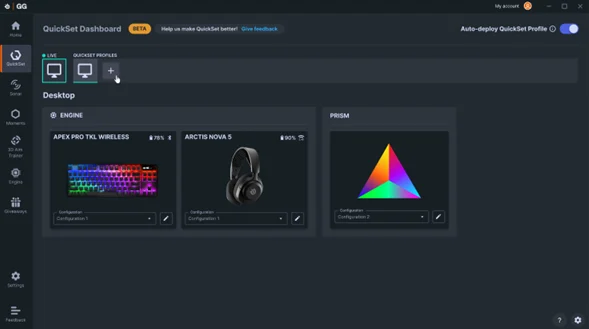
QuickSet initially starts with a default DESKTOP Profile that can be customized based upon all the plugged in and supported devices. This includes keyboards, mice, headsets, mousepads, microphones, speakers and Prism settings. Available devices have a drop down that lets gamers choose from all available device configurations. Click on the EDIT button (which looks like a pencil) in order to edit or add more configurations for a device. The ENGINE panel for the associate device will be launched and more advanced configurations will be available.
How can I customize a preset in QuickSet?
Every created QuickSet Profile will have available devices associated with it. Every device, such as a keyboard or mouse, and even Prism settings can be deeply customized to be uniquely different per QuickSet Profile. Using the provided device drop downs or the EDIT button (which looks like a pencil) will provide quick and easy access to the ENGINE panel for more advanced configurations.
How many QuickSet profiles can I create?
Gamers can create QuickSet Profiles for all the games and apps that have been auto detected or manually added in the MY GAMES section. The Dashboard QuickSet Profile Bar displays a limited number of games and easy access to an overflow menu.
Also check this out: