



How to Connect Arctis GameBuds
Need help on connecting your Arctis GameBuds?
Our new Arctis GameBuds are a different spin on gaming with high-power audio. Here's how to access the cool features we packed into them.
If you need additional help connecting your earbuds, or you just acquired them and aren't sure of the next steps, read the following sections carefully to get the most out of your new Arctis GameBuds™.
Initial Setup of Arctis GameBuds
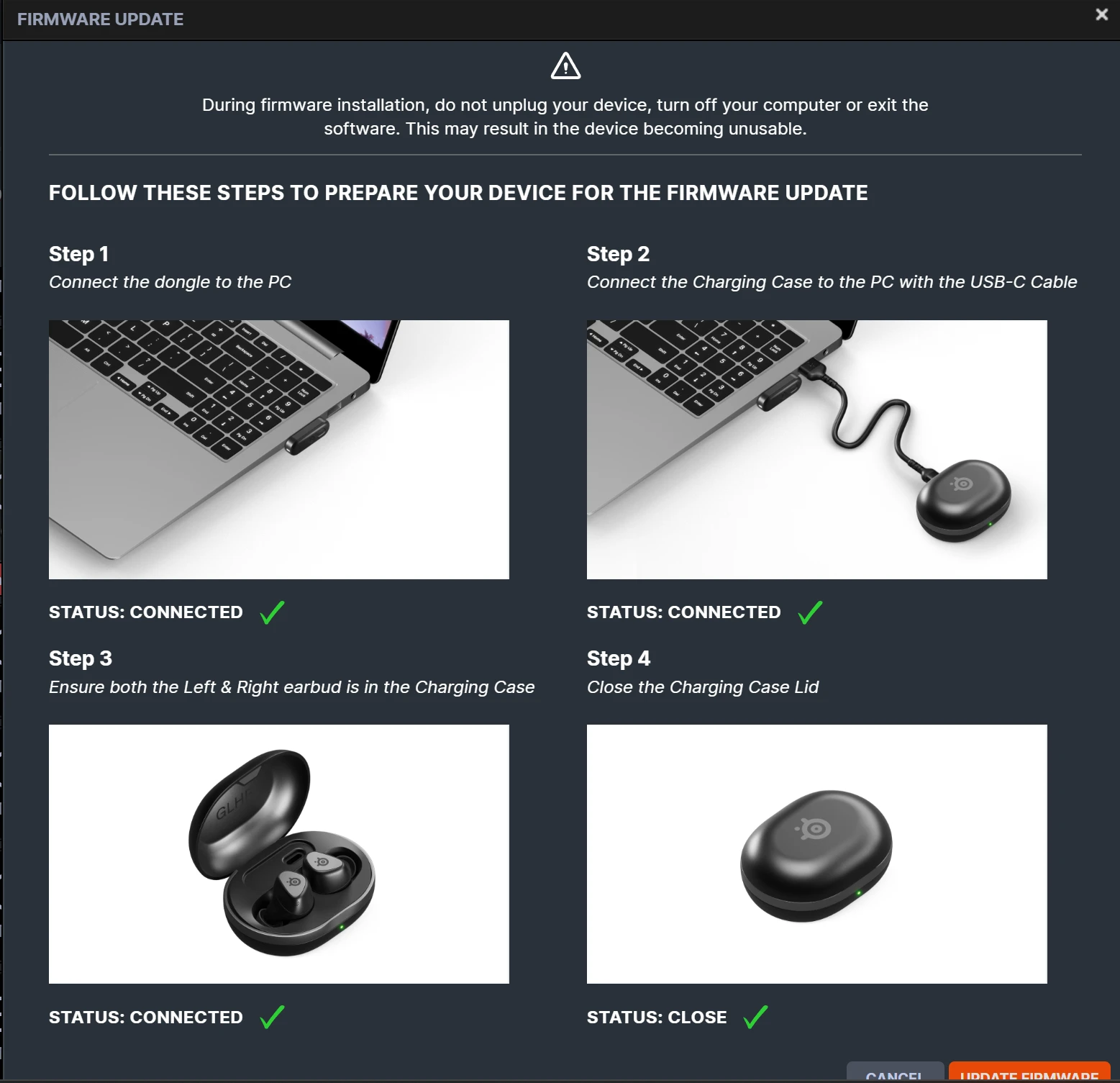
We'll walk you through the initial steps of setting up your earbuds. We recommend connecting the earbuds to your PC and updated via SteelSeries Engine, part of the GG app.
Plug in the dongle to your PC and place the earbuds into the Qi Charging Case, which you also need to plug in via USB-C. Then, head over to the Engine tab in the GG app, and if you see a prompt to update firmware, click on it and follow the steps outlined.
How to Connect to the Arctis Mobile App
Take advantage of a growing library of 100+ audio presets made for specific games with the SteelSeries Arctis Companion app.
Once the earbuds are paired with your phone, open up the app and following the onboarding steps to configure your earbuds with the app.
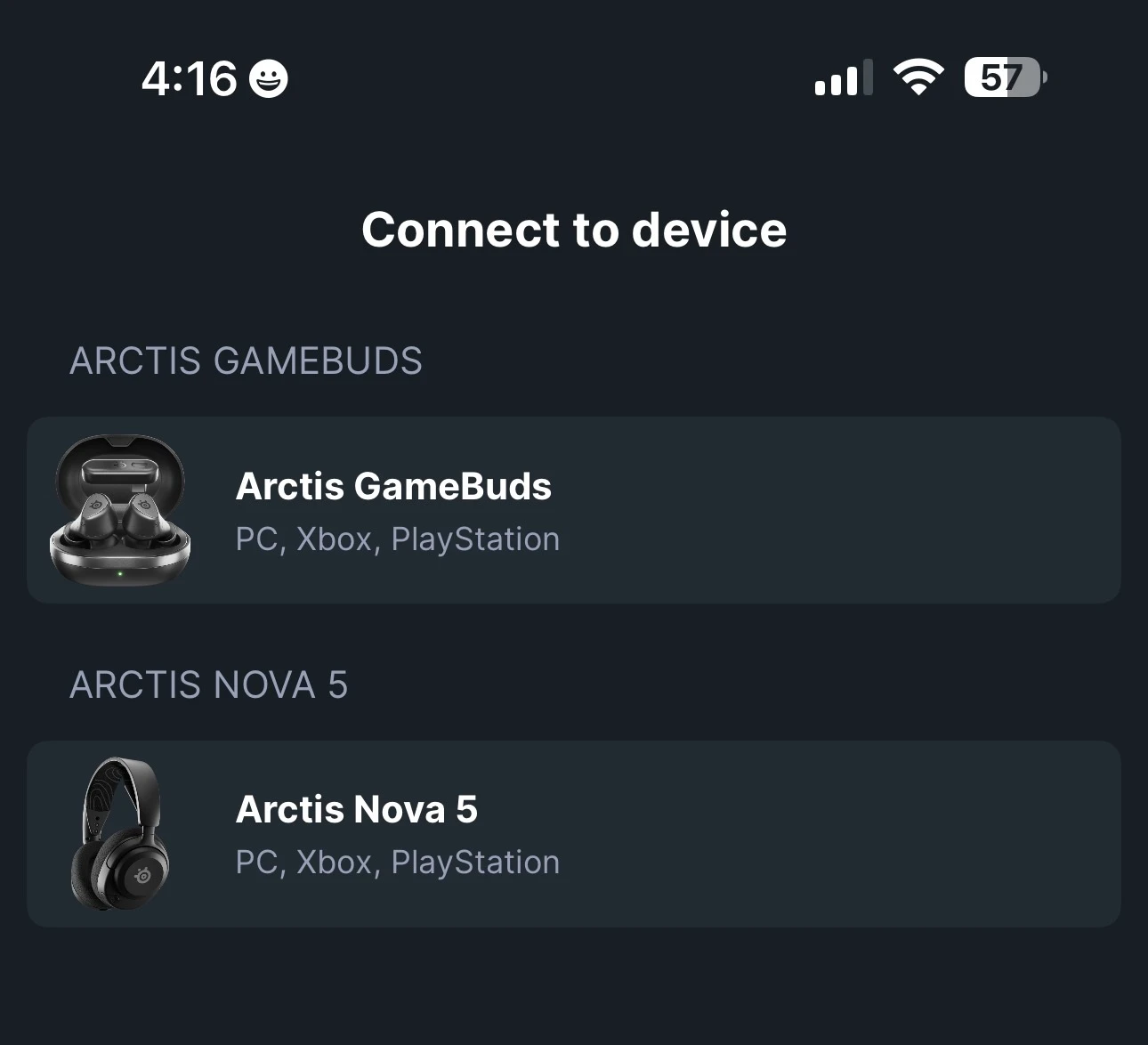
Select the Arctis GameBuds.
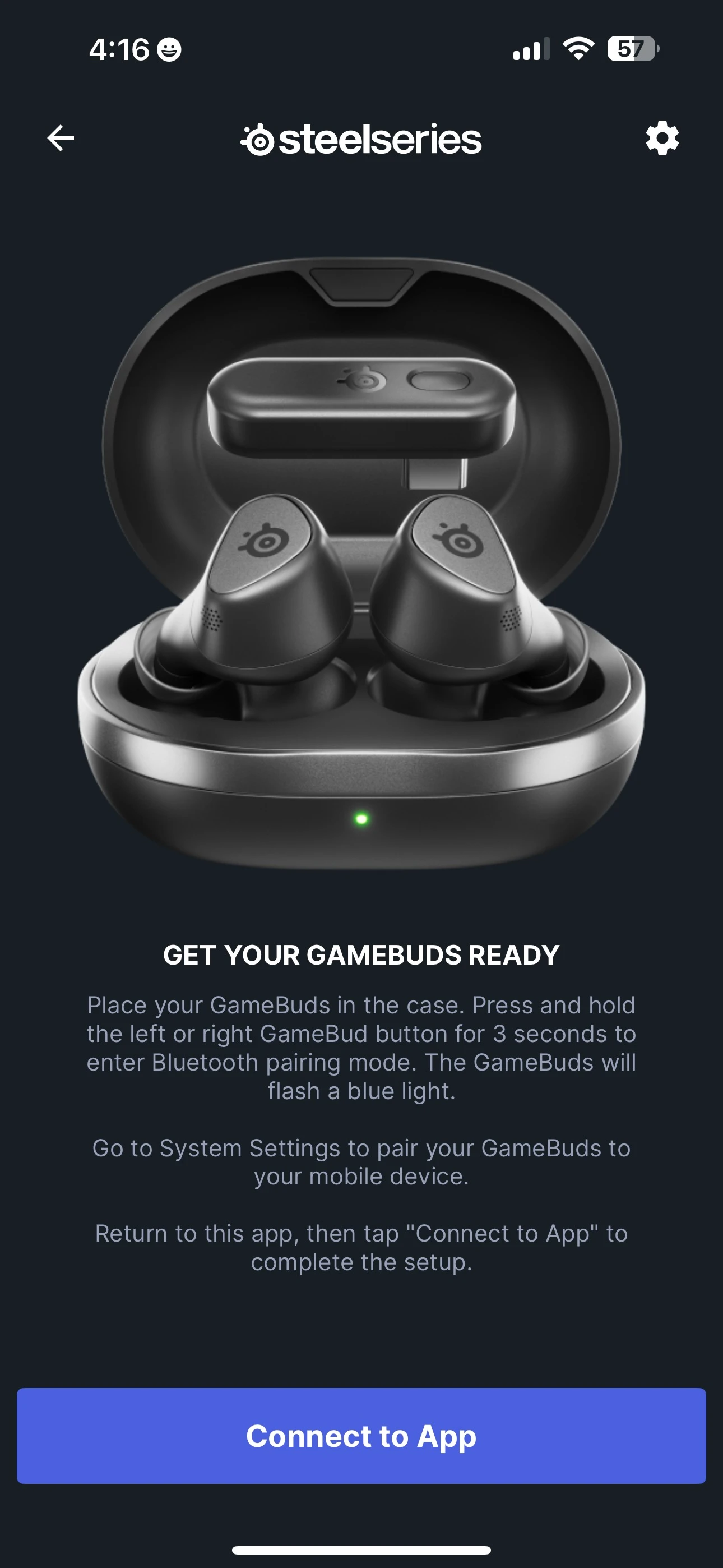
Follow the prompt above on connecting your phone to the earbuds. A Bluetooth pairing request should appear next.
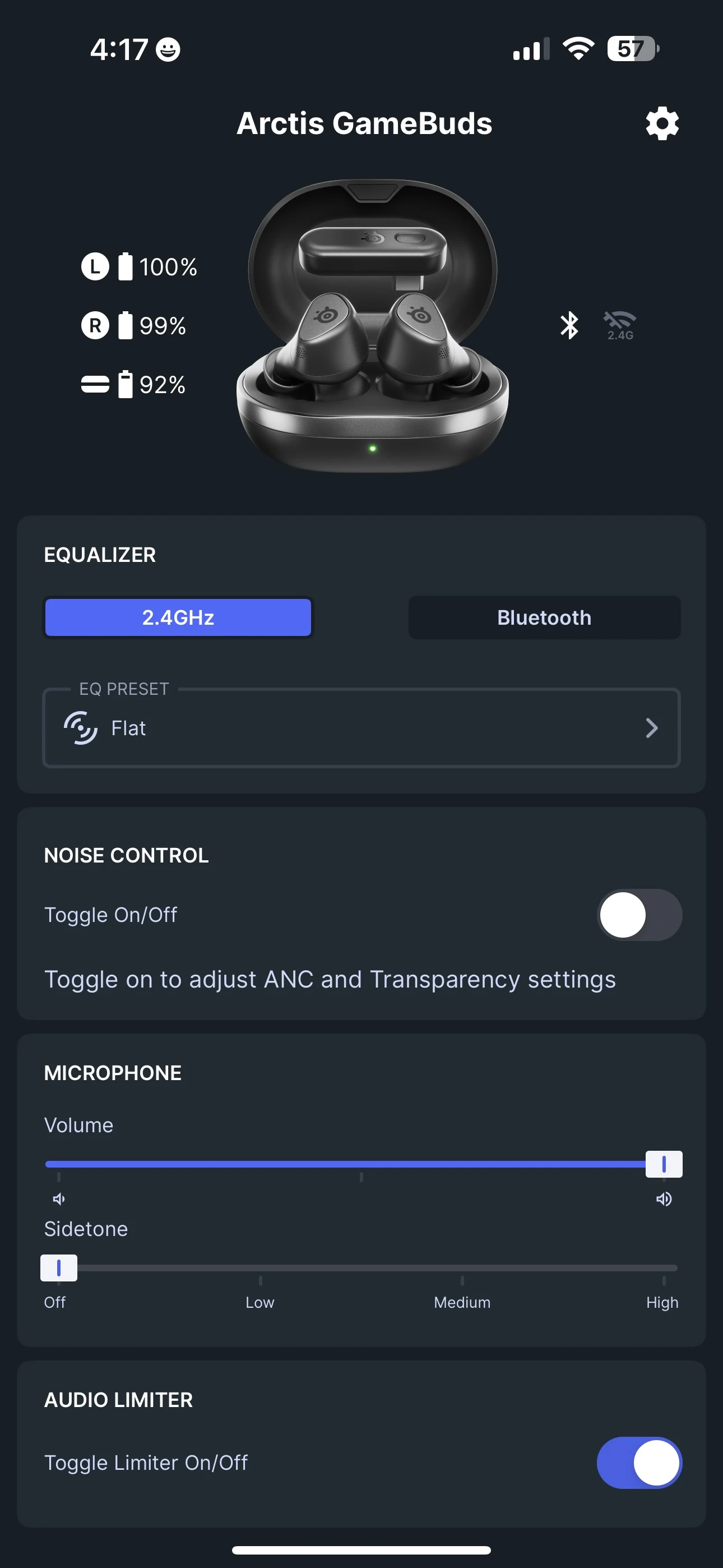
Once you're done, you should see a menu like this, which allows you to choose EQ presets separately for your gaming (2.4GHz) and for music/other (Bluetooth).
How to Bluetooth Pair Arctis GameBuds
When you first use your Arctis GameBuds, they will be in Bluetooth Pairing mode right away. Read above for how to use the app for your first-time Bluetooth pairing.
Open up your phone and head over to the Bluetooth devices to pair your Arctis GameBuds. Make sure Bluetooth is enabled on your phone and that the device is discoverable.
In the event that you need to pair a new device, here is how to initiate Bluetooth pairing mode on Arctis GameBuds:
To enter Pairing Mode, place both GameBuds™ in the Charging Case.
Hold one of the Gesture Control Buttons on either GameBud for 3 seconds to activate Bluetooth Pairing Mode.
The GameBuds™ Status LEDs will be blinking blue.
Follow the standard Bluetooth Pairing Process of your device.
How to 2.4GHz Pair Arctis GameBuds
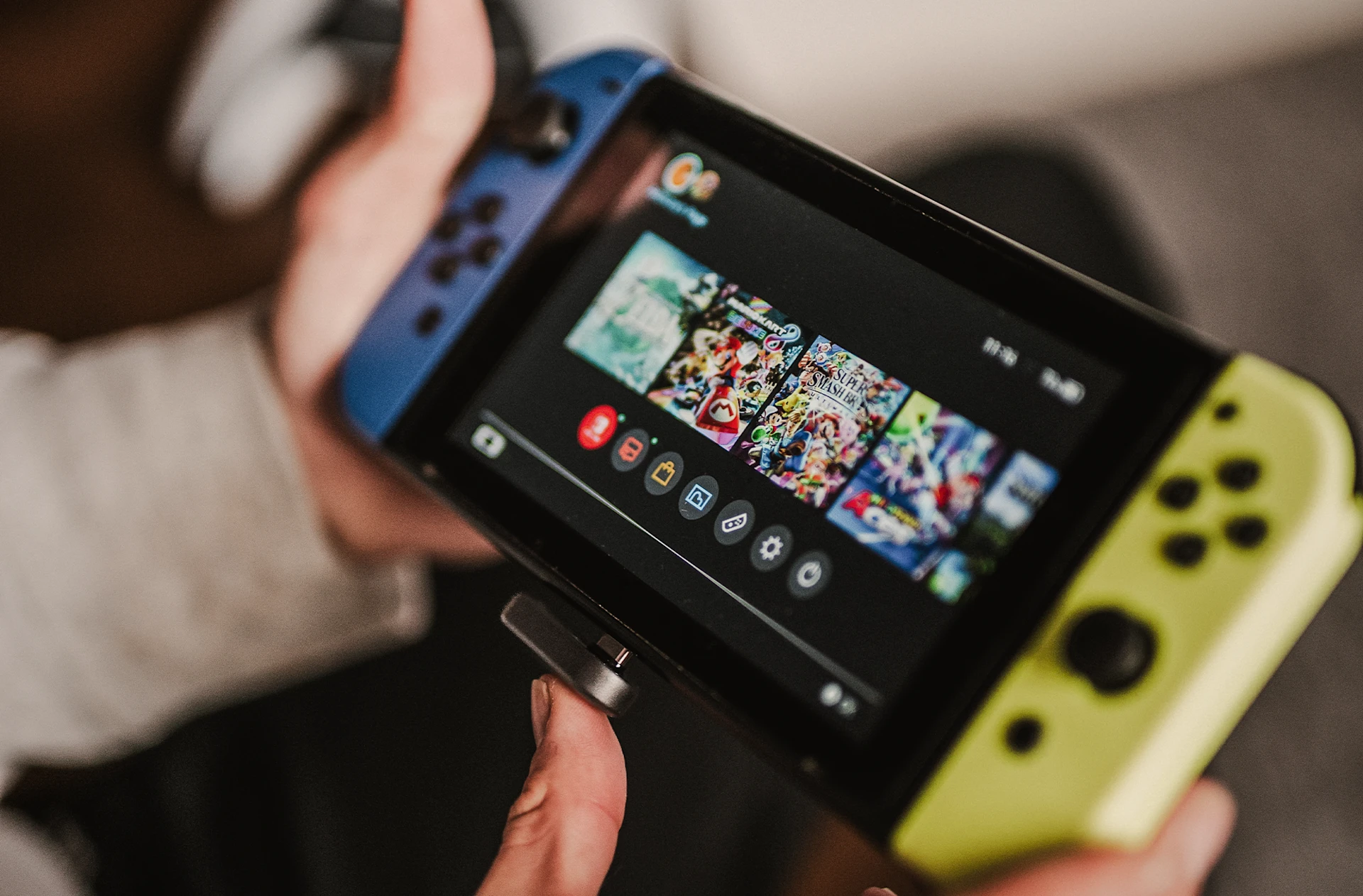
In order to use this type of wireless connection, which is recommended for gaming, plug in the L-shaped USB-C dongle into your desired device, such as PlayStation 5 or Nintendo Switch.
Note: out of the box, the earbuds are automatically paired with the dongle. It is unlikely that you will have to do this. In the event that you do, read on for the steps below.
To enter Pairing Mode, place both GameBuds™ in the Charging Case.
Hold one of the Gesture Control Buttons on either GameBud for 3 seconds to activate Bluetooth Pairing Mode.
The GameBuds™ Status LEDs will be blinking blue.
Press one of the Gesture Control Buttons again.
The GameBuds™ Status LEDs will blink green. You are now in 2.4GHz Pairing Mode.
Plug in your Dongle to your PS5 or other device. Press and hold the Pairing Button for 3 seconds.
Your GameBuds™ and Dongle are now re-paired.
How to use the Arctis GameBuds on PlayStation 5
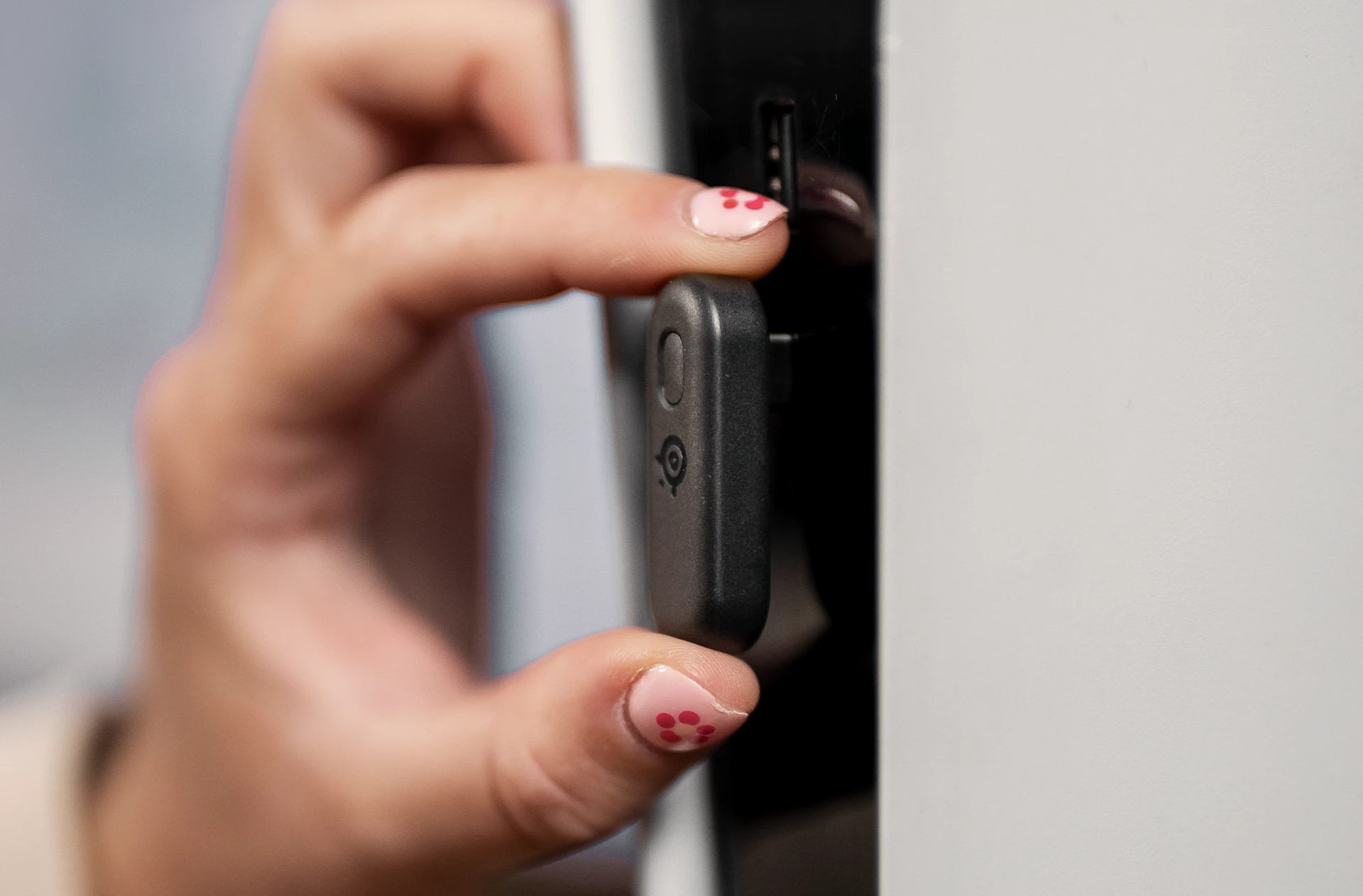
To use Arctis GameBuds on PlayStation 5, connect them first by plugging the USB-C dongle into a USB-C slot on the front of the console.
Then, press the PlayStation button and head to Settings. In the Audio Output settings, go to "Output to Headphones: All Audio."
For volume, in the Audio Output settings, choose Headphones, and "Set to Max." You want the system volume on the PS5 to be maxed out for the best gain, but you will control the actual output on your earbuds.
To raise volume, tap the right earbud, then hold it down. To lower volume, do the same on the left earbud: tap it, then hold it down.
Also check this out:
Wordsmith at SteelSeries. Enthusiastic about Dota 2 and fighting games. A cat dad.