


Which Optical Switch Should You Get?
Tactile, linear, clicky... what do they all mean?
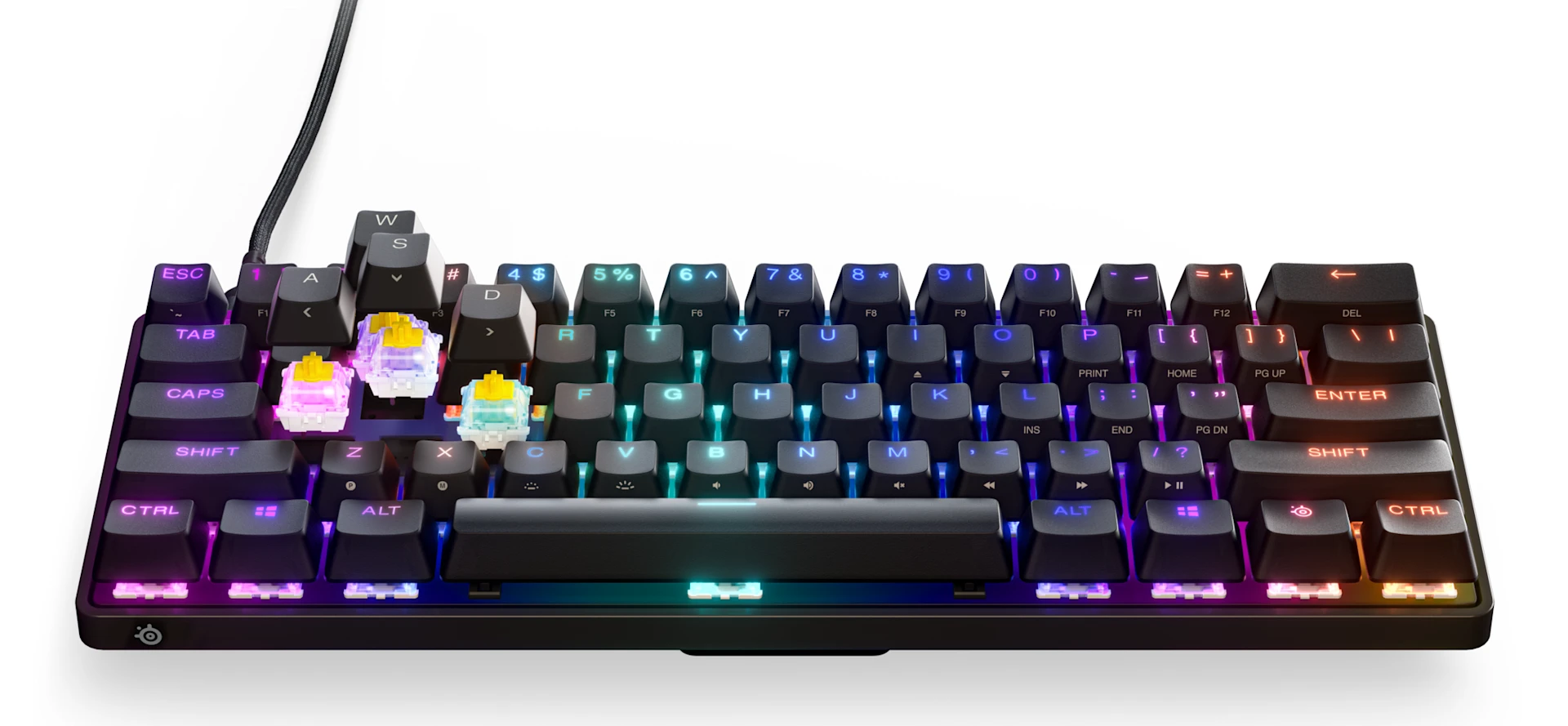
We have new customization options for optical keyboards. With SteelSeries, you can select the best optical switches for your keyboard. Let's look through the selections.
We've recently introduced new types of optical switches, allowing you to further customize your gaming keyboard. We'll go over the compatible types of optical keyboards and what kind of switches you can acquire to turn them into your dream keyboard.
Optical Keyboard Options
- Apex 9 TKL Optical Keyboard: Custom-built OptiPoint optical switches for 33% faster actuation, zero debounce, and 0.2ms response time, with RGB options, a durable steel-aluminum frame, all in tenkeyless form-factor
- Apex 9 Mini Optical Keyboard: All the benefits of the Apex 9 TKL, but in even sleeker, mini form for a compact profile on your desk
Both keyboards feature fully swappable optical switches that you can change out to any of the options presented below. These should also be compatible with keyboards that use Gateron switches.
Linear OptiPoint Switches

Feel: Smooth, no bump or resistance, like the press of a piano key
Sound Profile: Quiet
Pros: Linear switches are great for those who value speed and fast-paced gaming, due to the lack of a bump or click. Minimal resistance on your fast keypresses with decreased actuation force needed.
Total Travel Distance: 3.2±0.4mm
Actuation Force: 35g
Note: These are the default switches on the Apex 9 TKL and Apex 9 Mini.
Purchase Linear OptiPoint Switches
Tactile OptiPoint Switches

Feel: Tactile bump-like, similar to a controller button press
Sound Profile: Quiet
Pros: Enhances the "confirmation" feeling because of the bump-like feedback. Increases accuracy and keypress confidence.
Total Travel Distance: 4.0±0.4mm
Actuation Force: 55g
Purchase Tactile OptiPoint Switches
Clicky OptiPoint Switches

Feel: Tactile bump-like, like a mouse click
Sound Profile: Loud click
Pros: For the enjoyers of the clicky "confirmation" sound for satisfying typing. Great for accurate, confident presses.
Total Travel Distance: 4.0±0.4mm
Actuation Force: 55g
Purchase Clicky OptiPoint Switches
How to calibrate your SteelSeries keyboard

Once you install all your optical switches, there is one more step to take with your keyboard: calibration.
- First, unplug your keyboard, then hold the SteelSeries key, I, and O as you plug the keyboard back in.
- The keys will light up in a specific way, and now, your job is to firmly press every single key on the keyboard, make sure it bottoms out! They will change colors as you go. You can start from Escape and go right to make it easy, row by row.
- When you finish, make sure to press the SteelSeries key + I + O again. That will finish calibration.
Calibration helps with making sure that all keys have been inserted properly and register with the proper actuation.
Which optical switch should I buy?

Honestly, it really comes down to personal preference. I found the sound and feel of the clicky OptiPoint switches to be really satisfying. I think I would want it for my work/school keyboard especially. For gaming, the tactile switches are good because of that "confirmation" aspect, making you feel like you're confirming or executing powerful abilities. If you're a really speedy FPS-type gamer, you might want to stick with the linear OptiPoint switches.
Looking for more speed and adjustability in your switch? Check out our blog on OmniPoint mechanical switches vs. OptiPoint optical switches.
Also check this out:
Wordsmith at SteelSeries. Enthusiastic about Dota 2 and fighting games. A cat dad.