



Experience OmniPlay: One Headset for All Your Systems
One headset to rule them all.
Connect to all your devices, even simultaneously. Find out what OmniPlay is all about.
Most high-profile gamers these days have at least two gaming systems. Whether that's one console and one PC, or a Switch and a mobile, or anything in between, many of us enjoy different games on various platforms.
I know that on PC I want to squad up with my Dota 2 buddies or Battlefield 6 mates, but after I'm done, I might want to slash up demons in Ninja Gaiden 4 solo. That's when I go from my PC to PlayStation 5. Others might have a PlayStation and a Nintendo Switch in their living room to play Pokemon Legends Z-A.
The last thing you want to do while on a couch is to get up and switch around the cables in the back of your TV, or to dive into the jungle of cords around the back.
With OmniPlay, you can have each of your systems plug in to a GameHub, and simply switch with a press of a button. Doesn't matter if that's PC, Xbox, PlayStation, or Switch. You can do it all, and more.
That's one of the great features of the Arctis Nova Elite gaming headset. Not only does it work pretty much with any system, it can be connected to multiple at once, and easily toggled. No more having to buy a specific headset for a Nintendo Switch, an Xbox, or your Steam Deck. It's truly one headset to rule them all.
What is OmniPlay?
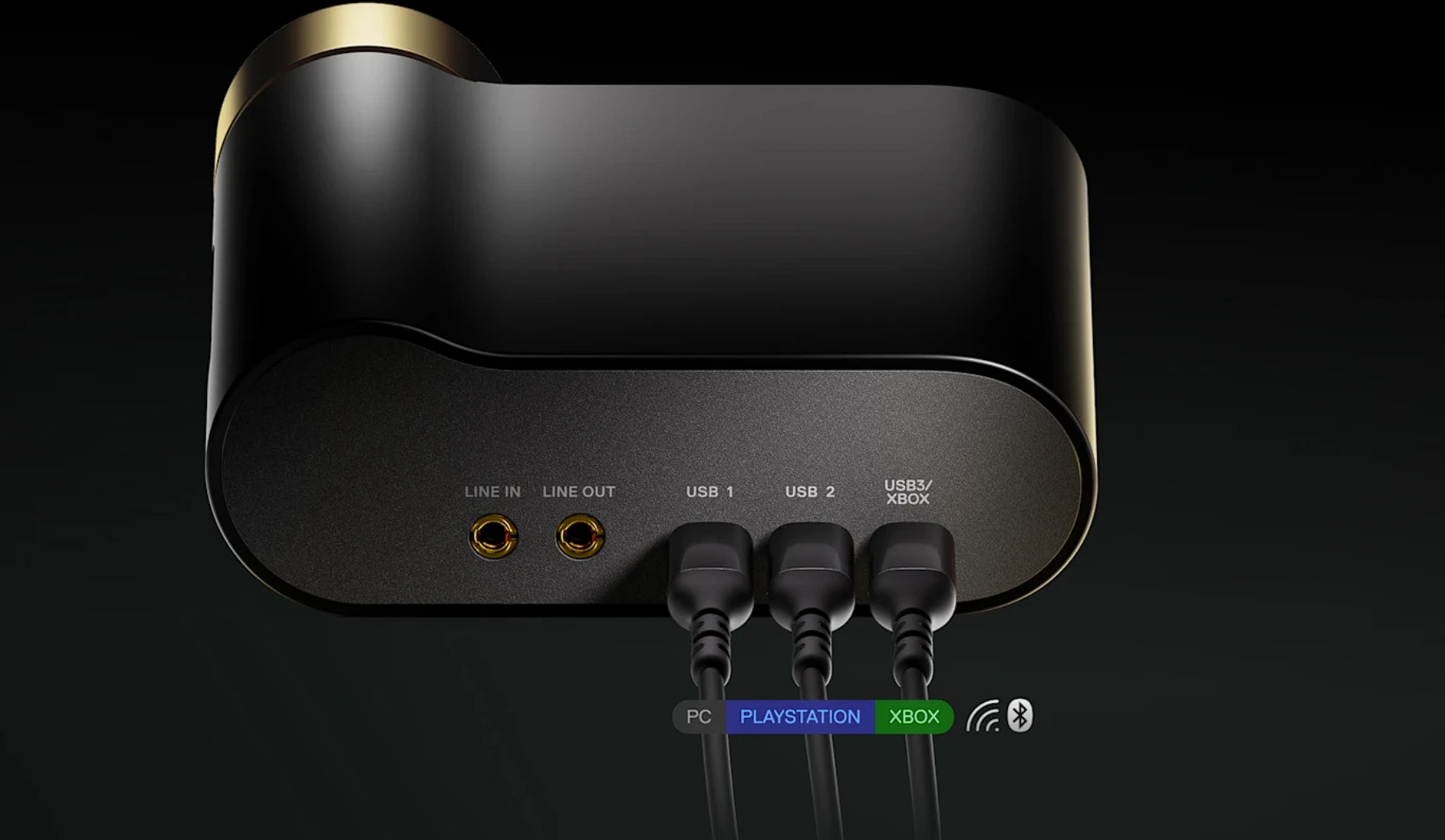
OmniPlay is what we call gaming without borders. It's enjoying all the audio you want from any system. It's no longer worrying about platform compatibility.
OmniPlay allows two powerful things:
1. Plugging in multiple systems and easily toggling between them
2. Mixing audio from multiple sources at once
Let's say in scenario 1, you have a PlayStation 5 and a PC at your gamer station. They share a monitor or you have a separate TV near your desk for the console. With one Arctis Nova Elite, you can easily plug both systems in and toggle audio between them (or mix them together say if you wanted to listen to music from your PC or a Discord call).
Here's what that would look like:
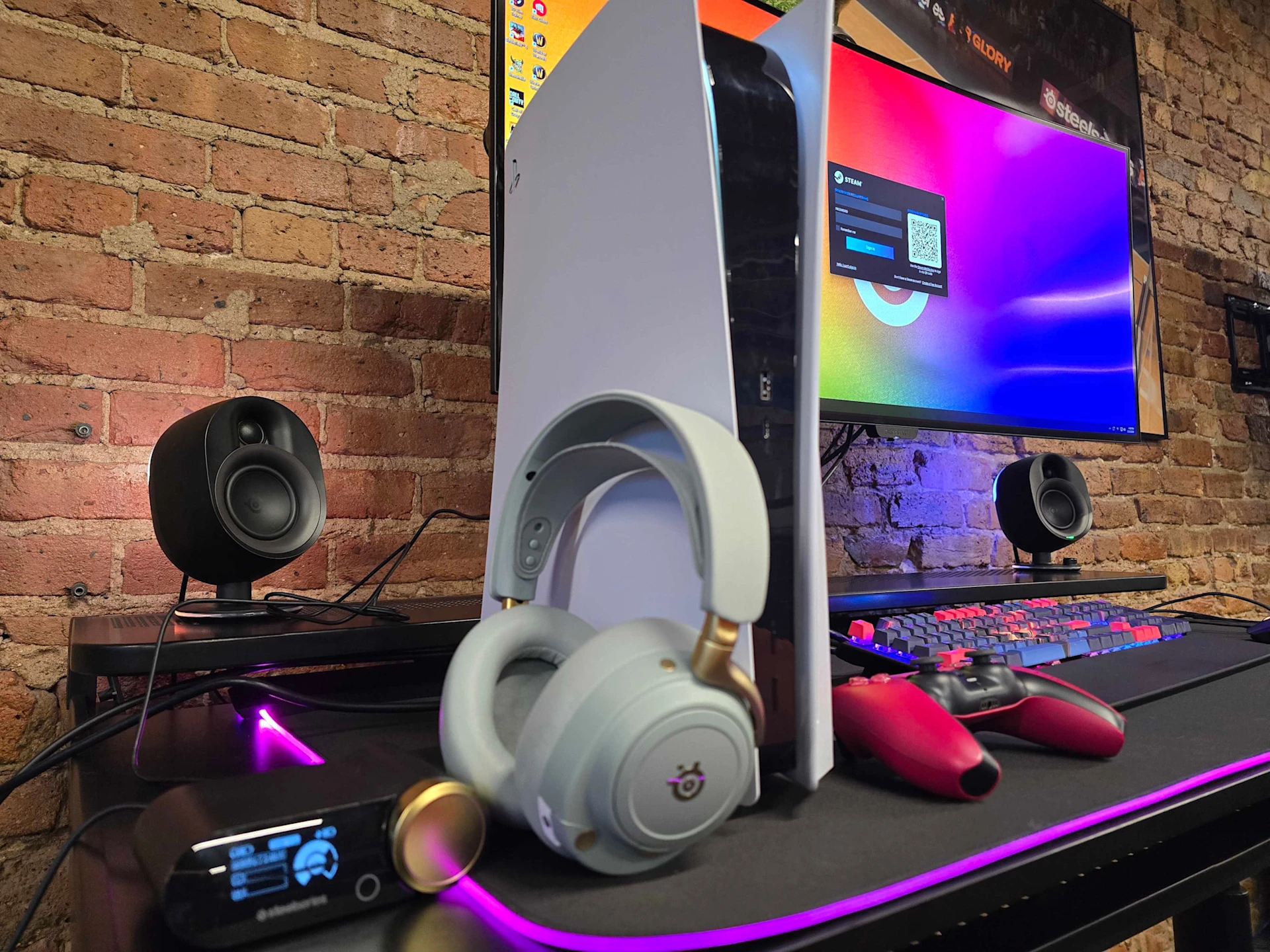
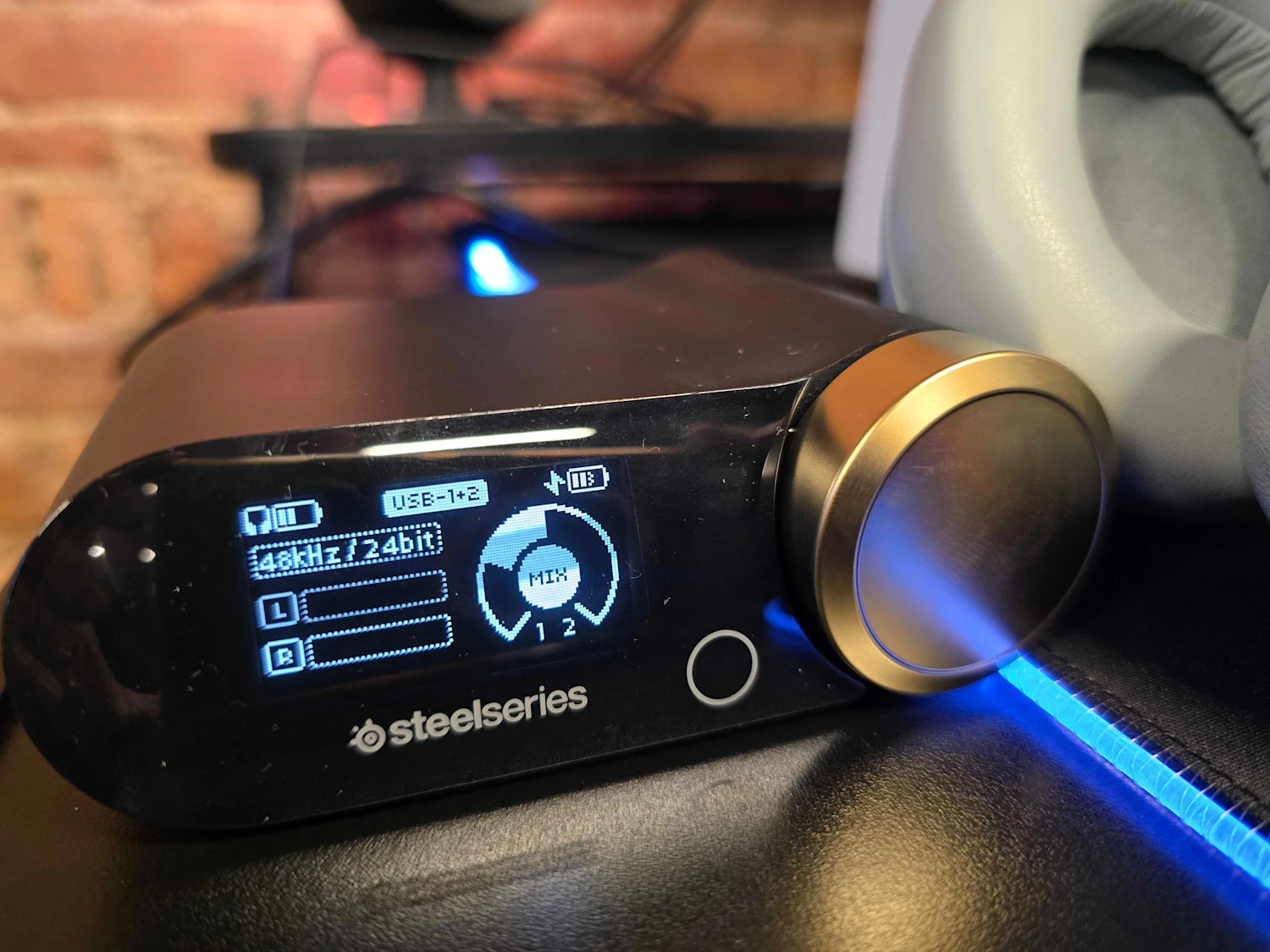
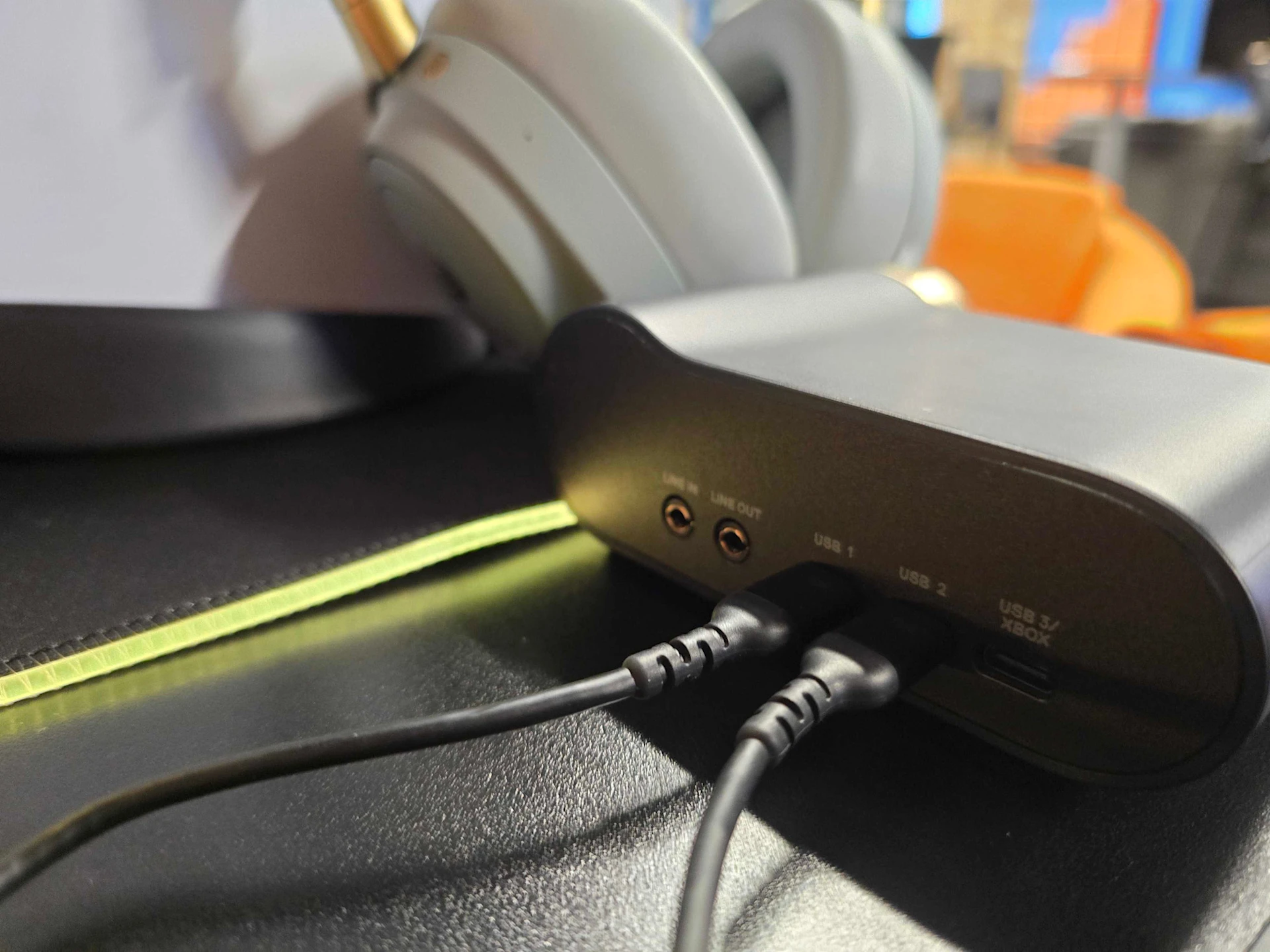
The setup is quite simple. All you have to do is plug in two USB-C cables from the back to the USB-A ports, one on your PC, and another on your PS5.
Don't use the 3rd USB port on the GameHub, as that's reserved for the Xbox.
Now you can use GameHub controls to adjust the audio mix, in the event that you want to listen to both sources. Press and hold the Control Wheel to trigger the mix controls. You can also press and hold the Volume wheel on the Arctis Nova Elite headset to toggle for SourceMix.
If you want to hear audio from both sources evenly, keep the mix central; if you want one louder than the other, adjust it with the controls.
Note that even with both of these on, you can still use Bluetooth to your phone! OmniPlay is just that powerful. You would adjust the Bluetooth volume output with your phone in that case.
In scenario 2, let's say you have some different consoles: an Xbox Series S and a Nintendo Switch.
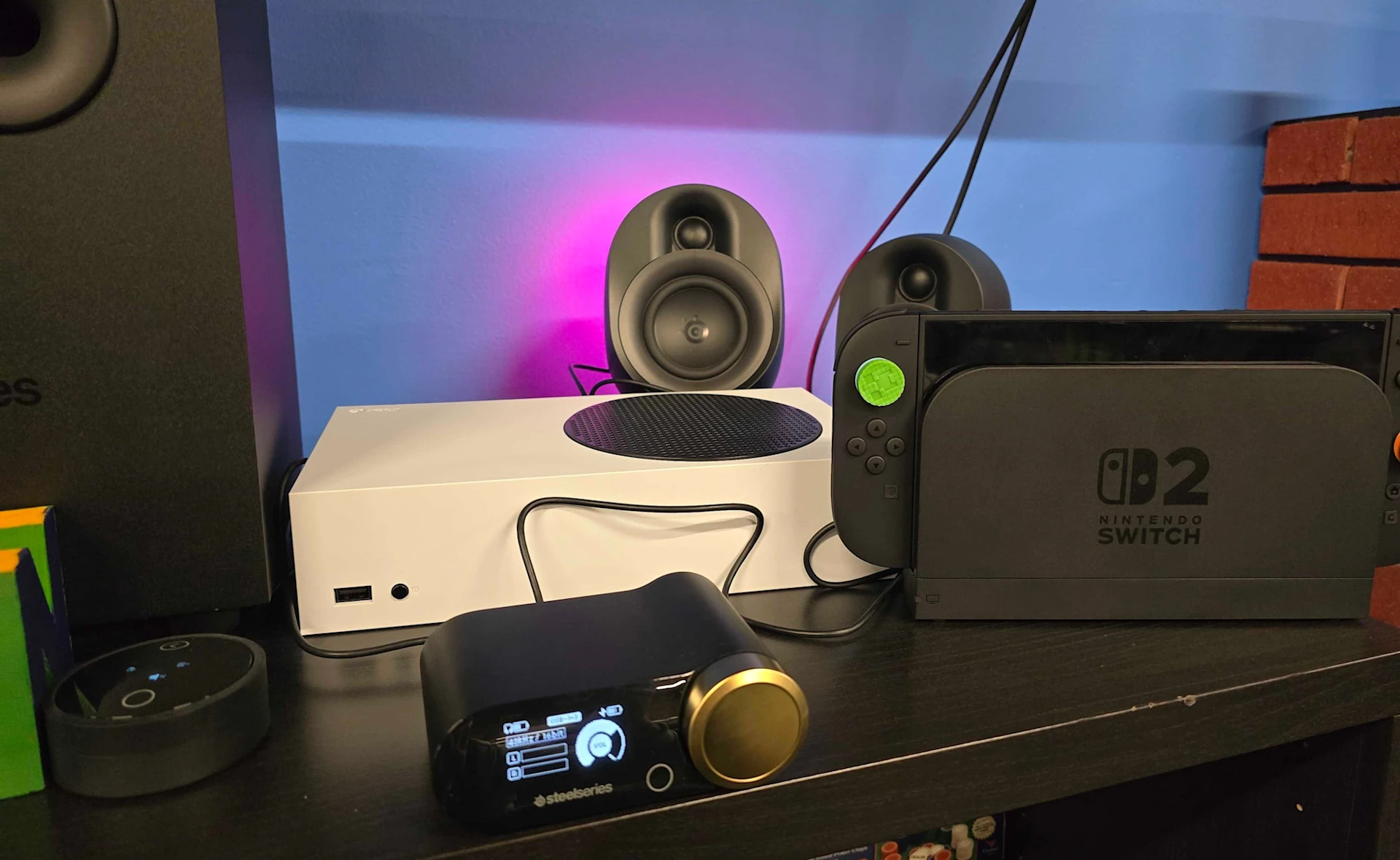
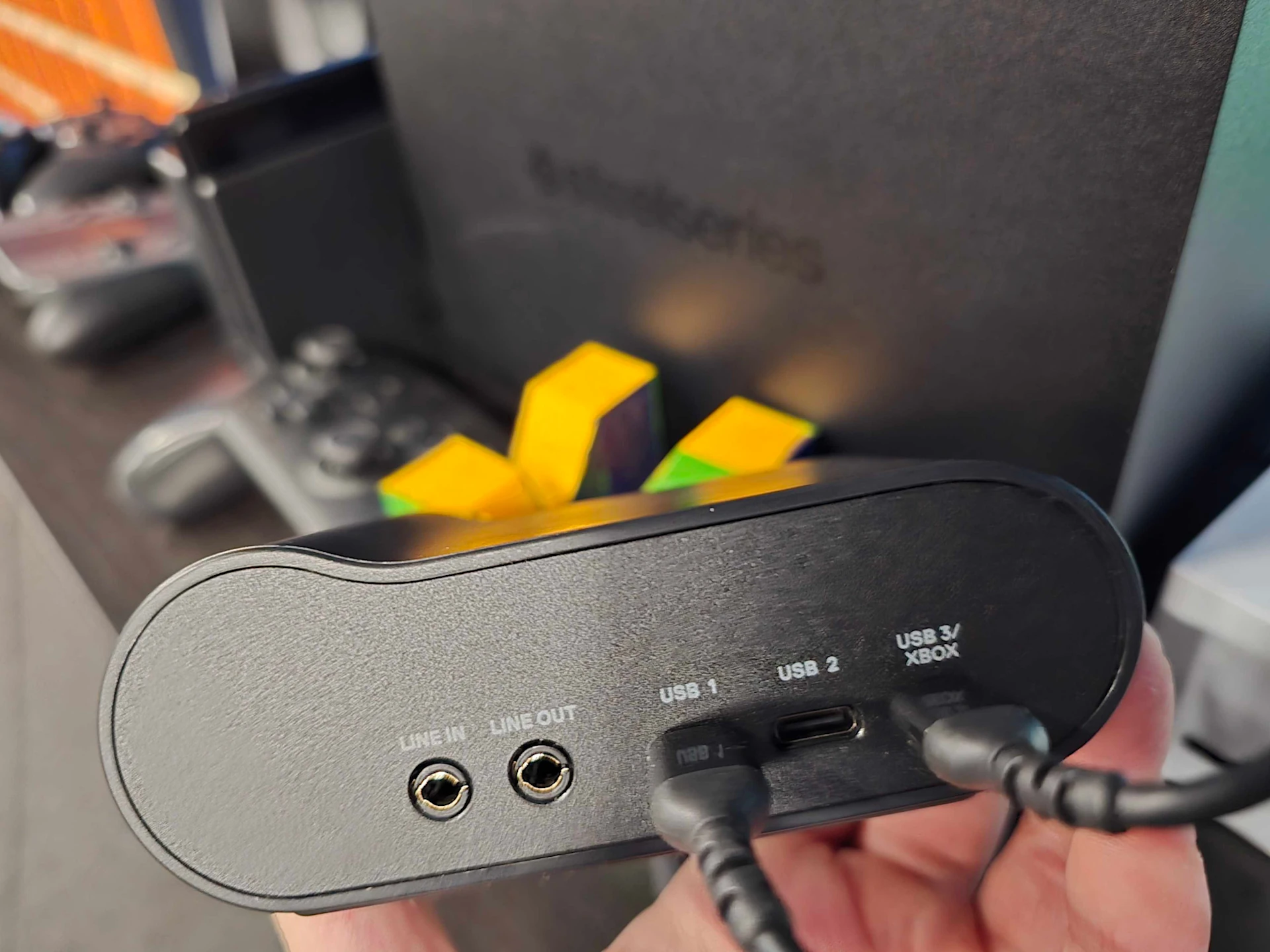
Arctis Nova Elite works like a charm here as well. All you have to change up is plug in the cable connecting the Xbox into USB Slot 3, labeled with Xbox.
Say goodbye to platform limitations with a true multi-platform headset like Arctis Nova Elite.
Wordsmith at SteelSeries. Enthusiastic about Dota 2 and fighting games. A cat dad.