



Best Pitching Settings in MLB The Show 25
Pitching is one of the most crucial and difficult mechanics to master in MLB The Show 25, so make sure you have the right settings equipped.
To ensure your pitching is top-tier in MLB The Show 25, use the settings that offer the best performance.
Pitching is one of the several aspects of MLB The Show 25 you have to master if you want to compete at the highest levels. While you don’t have to pitch in game modes like Road to the Show, it’s an integral part of just about every other mode in the game. From Quick Play to Diamond Dynasty to Franchise Mode, you have to know how to pitch, or you’ll quickly fall behind in games again and again.
If you’re struggling with your pitching or are simply new to MLB The Show 25, then you’ve likely tried to tinker with your pitching-specific settings. There aren’t a ton of settings to change with pitching, but what you can change completely alters how your pitchers deliver balls from the mound to home plate.
Below, we have listed a complete list of the best pitching settings to use in MLB The Show 25 and offer explanations as to why you should use the settings.
Best Pitching Interface in MLB The Show 25
For starters, let’s go over the number one pitching setting that affects the entirety of how you pitch in MLB The Show 25. The Pitching Interface setting is located in the “Gameplay” settings menu, which can be accessed from any screen or mode in-game. In the Gameplay settings, go to the “Control” tab, and continue scrolling down past the Hitting and Baserunning sections until you find the dedicated Pitching section.
Here, the option to switch your Pitching Interface is the first one available. You have five Pitching Interfaces to choose from, and they are:
Meter
Pinpoint
Pulse
Pure Analog
Classic
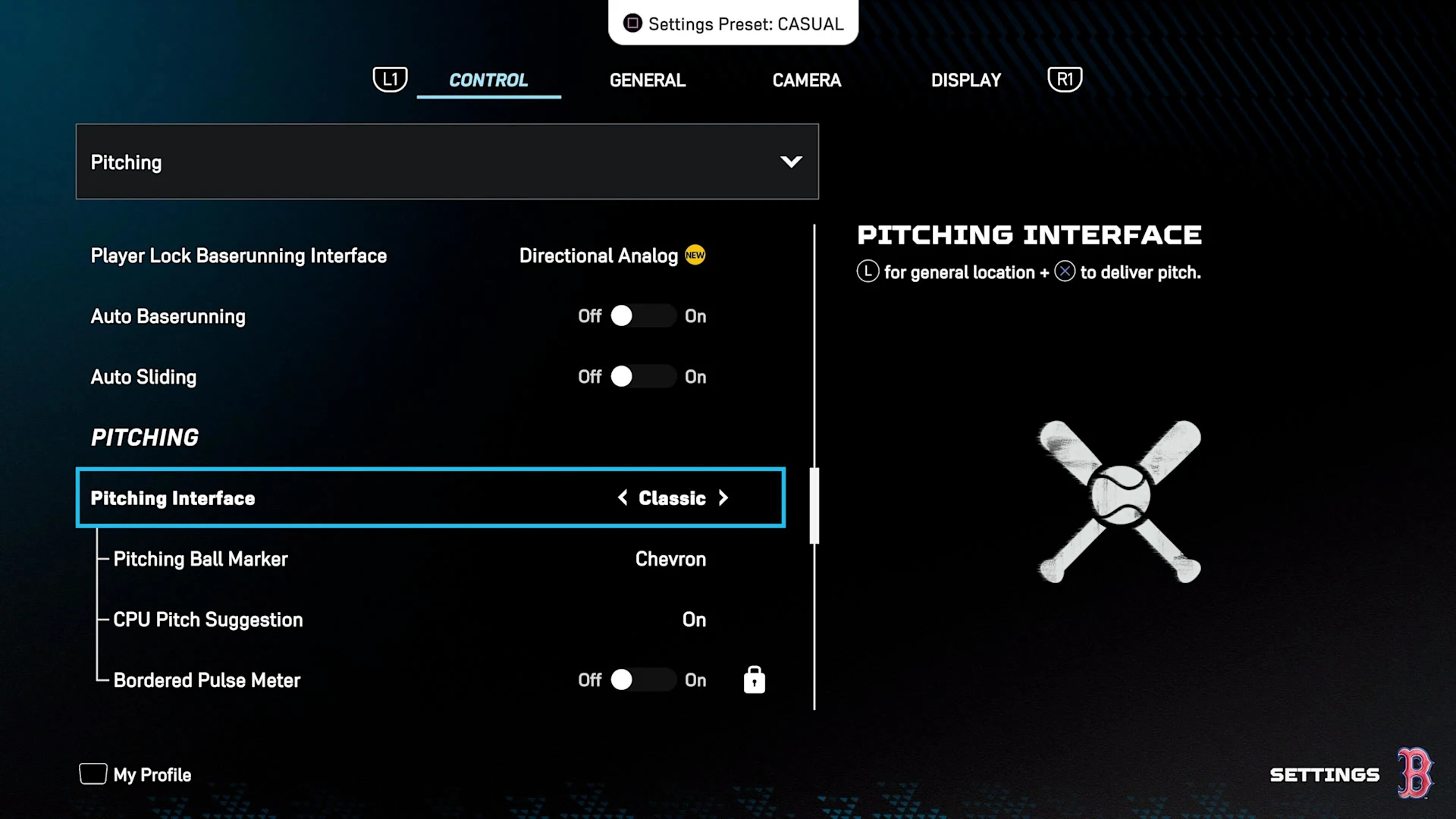
Right off the bat, there are a couple of different ways for you to go when selecting your preferred Pitching Interface. If you’re a fan of the older MLB The Show games, then Classic might be an enticing option to pick, as it behaves similarly to how pitching exists in the games from a decade ago. However, Classic is fairly limited in what you can control when pitching, so it’s not a recommended choice for most players.
Alternatively, some players have opted to master the Pure Analog Pitching Interface in recent years. These players mainly spend their time playing offline game modes, however, as Pure Analog offers more room for error. This doesn’t matter nearly as much when you’re playing against a computer all of the time.
In most instances, and especially for all online players, the Pinpoint Pitching Interface is what you want to use and master in MLB The Show 25. Pinpoint is arguably the most advanced of all the Pitching Interface options, so it might be a little overwhelming to learn as a new player. The time spent learning the interface is well worth it, though, as Pinpoint gives you the most control over your pitches and allows you to easily fool batters at the plate.
For those who have never used Pinpoint before, you have to do certain joystick motions before every pitch you throw when the interface is in use. The more complicated the pitch, the more intense the joystick motion required. For example, if you throw a simple Four-Seam Fastball, all you have to do is move your joystick up and down. However, a more involved pitch like the Slurve requires much more precise movement to effectively throw it.
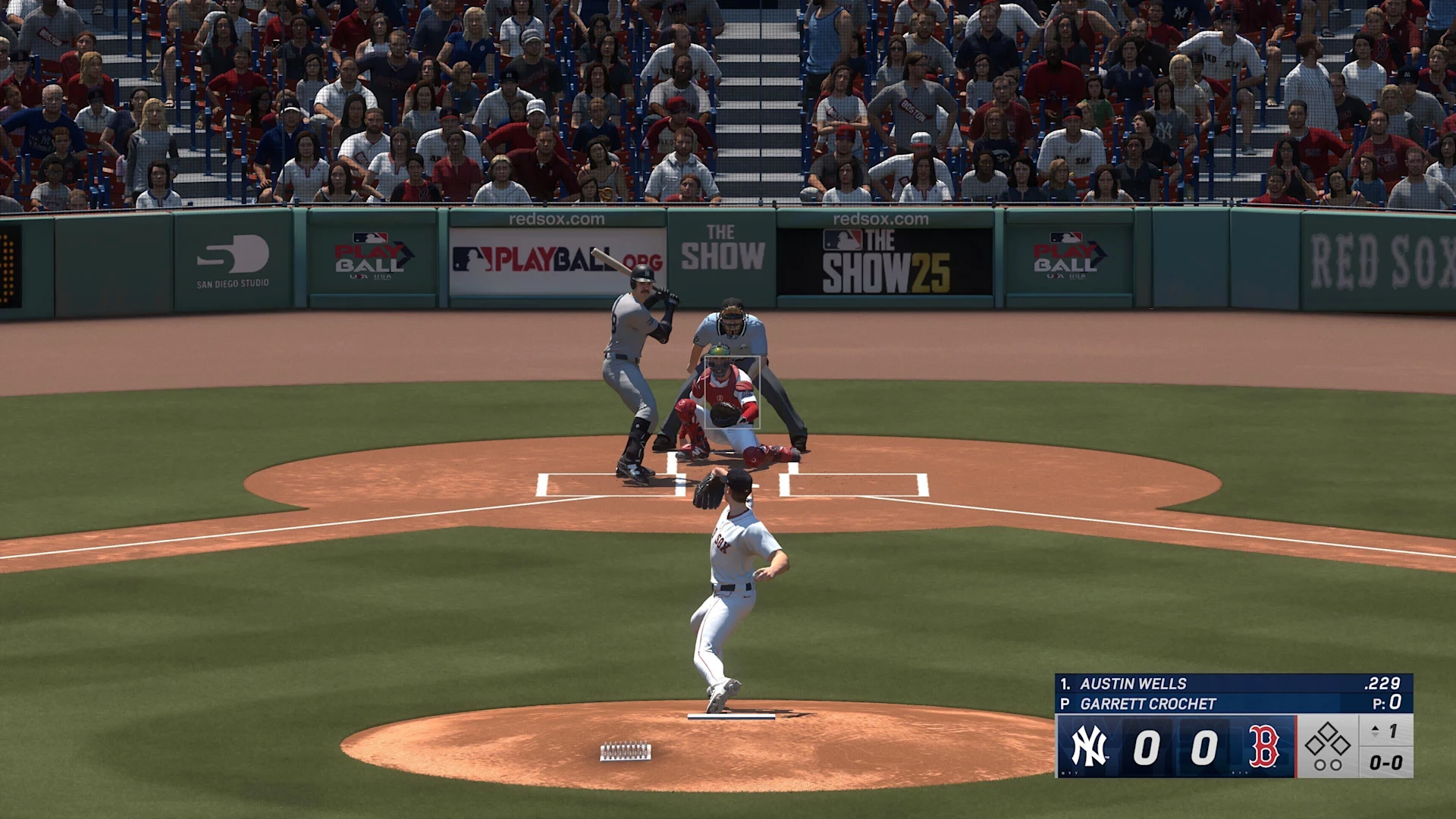
All pitches in MLB The Show 25 have different joystick motions when using the Pinpoint interface. As most pitchers come equipped with different pitches on any given roster, you have to learn and master basically all of the pitches’ joystick motions to throw them where you want. Different pitchers also require varying speeds with the motions, so it’s not an easy process to go through whatsoever.
If you can manage to get the motions down correctly, however, you’re able to precisely throw a pitch at the exact spot that you’ve selected. When used properly, a pitcher with the Pinpoint interface can completely dominate an opposing hitter.
Best Pitching Settings in MLB The Show 25
Now that we’ve covered the Pitching Interface setting, it’s time to go over the rest of the settings in MLB The Show 25. Right under the Pitching Interface option, you’ll find a few more options you can change. We recommend setting those options to the following:
Pitching Ball Marker: Pitch Trail
CPU Pitch Suggestion: On (for new players)/Off (for veteran players)
Bordered Pulse Meter: Off
That’s it for the pitching settings in the Pitching section of the Control settings in MLB The Show 25. However, there are some additional pitching settings you can find in the “Camera” tab of the Gameplay settings.
By navigating over to that section, you’re able to change your camera angle when your pitcher is on the mound. If you go to the “Defense” section of the Camera settings, you can change both your fielding and pitching camera angles. There are several angles to choose from if you scroll through the pitching options.
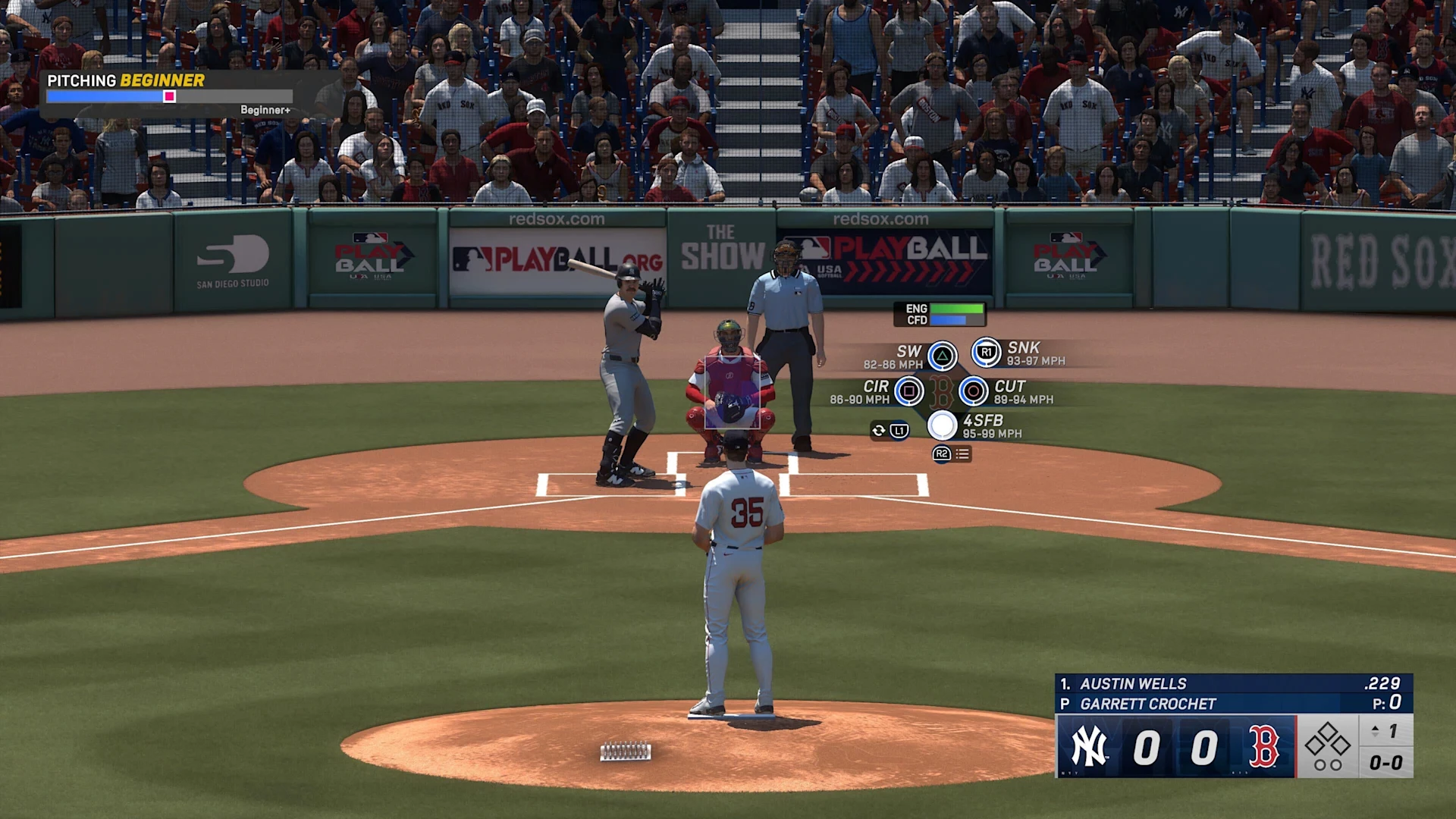
However, the most popular pitching angles are the “Strike Zone” ones. There are a few different options under the Strike Zone umbrella, but arguably the best ones are Strike Zone 2 and 3. These offer you a great look at the strike zone from behind the plate, allowing you to see your pitcher from the umpire’s perspective.
Many players find this allows them to more accurately pinpoint where they want to throw the ball. It also helps to see the strike zone zoomed in, as you can better tell where your pitch is going to go. Of course, this is your game, so experiment with all of the different camera angles until you find the one that suits you the best in MLB The Show 25.
Those are all of the pitching settings in MLB The Show 25. They’re aren’t many, but pitching takes extremely long to master, especially if you’re starting from scratch with the Pinpoint interface. Just make sure to practice, practice, practice in offline modes so you can be ready when you want to take on an online challenge.
Joey Carr is a seasoned esports and gaming journalist with over 7 years of experience. He has covered major events like DreamHack Atlanta, Call of Duty Championships 2017, and Super Bowl 53.