


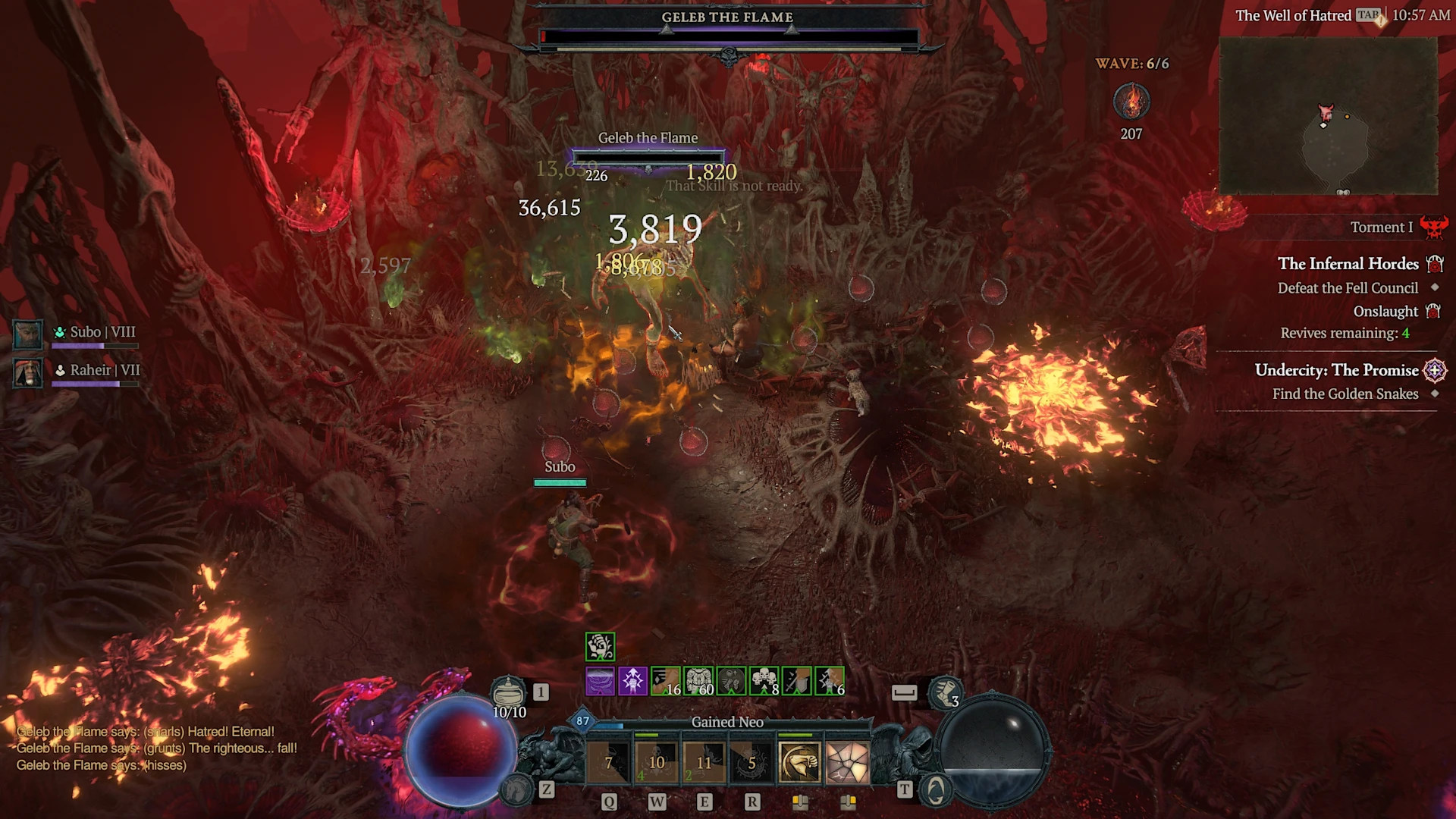
Most Comfortable Diablo IV Keyboard Bindings
Tired of clicking? Trigger all your abilities with one hand on the keyboard.
Looking to set up a cozy, comfortable Diablo IV bindings? We have just what you need. Forget about spamming left or right click, and chill instead with one hand.
My coworker, our brilliant Tech Lead, plays Diablo IV with an extremely cozy setup. You really have to try it to see how good it is when you don't have to constantly click in this game; you can do most things with just your left hand on the keyboard, and while your right hand is still guiding the cursor, you don't have to click like your life depends on it.
This is made possible with an Apex Pro gaming keyboard featuring OmniPoint. You need to have 2-in-1 Action Keys available and adjustable actuation. Good news, as all Apex Pro keyboards let you use and configure those via SteelSeries GG software in Engine.
I'll let Dave take it away!
Cozy keyboard setup for Diablo IV
Here are the details for how I use my Apex Pro's Omnipoint switches to play Diablo IV without ever having to click my mouse.
I've played with this config for many hours and the normal amount of fatigue my mouse hand would experience playing Diablo IV is no longer.
Here is how I have it set up.
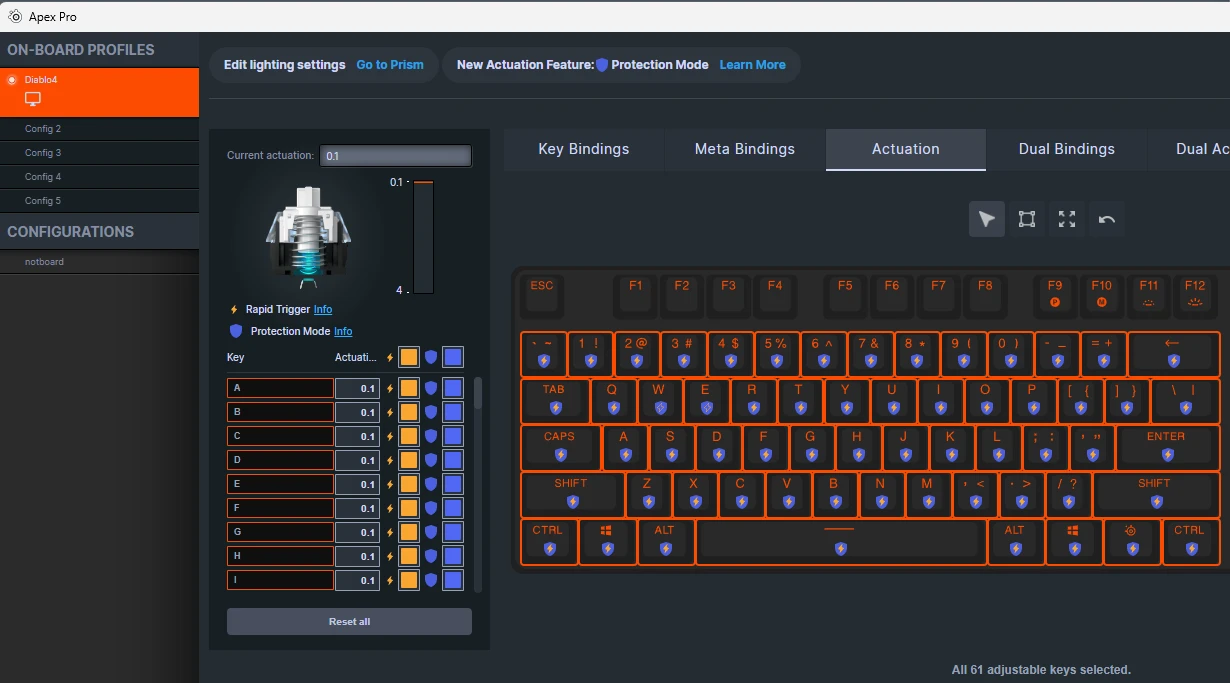
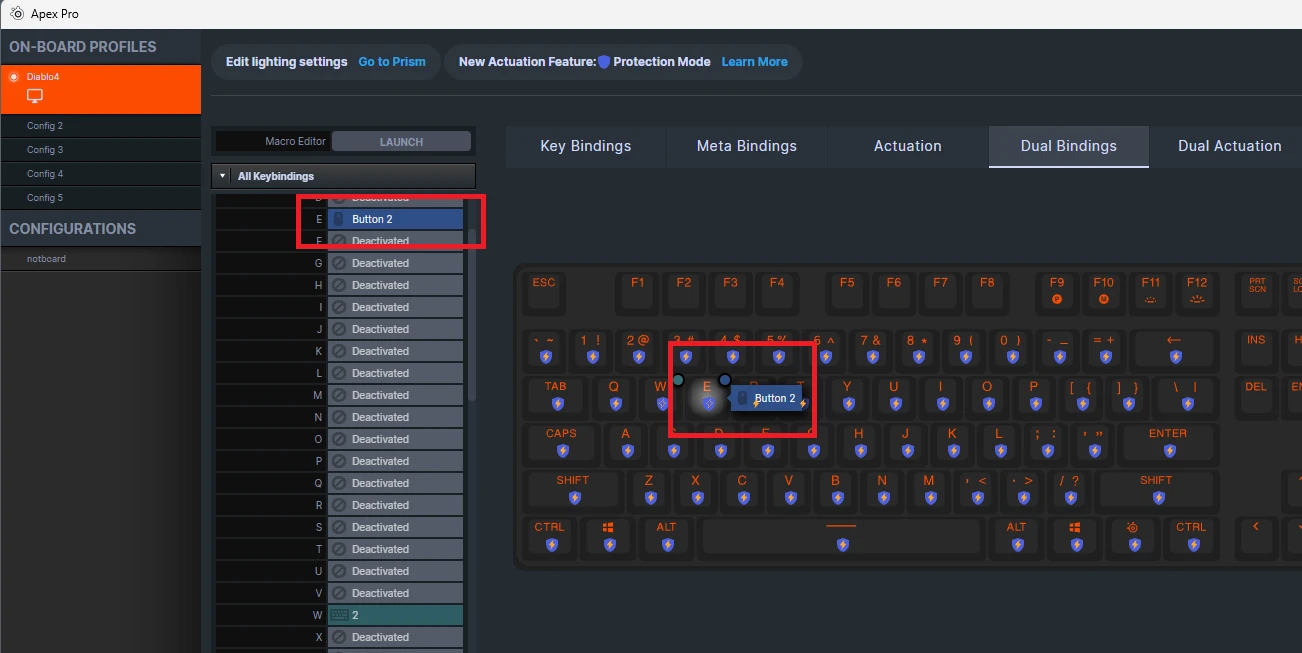
I have renamed Config 1 to 'Diablo4', as that is the config slot I use. You may use another slot, if you wish.
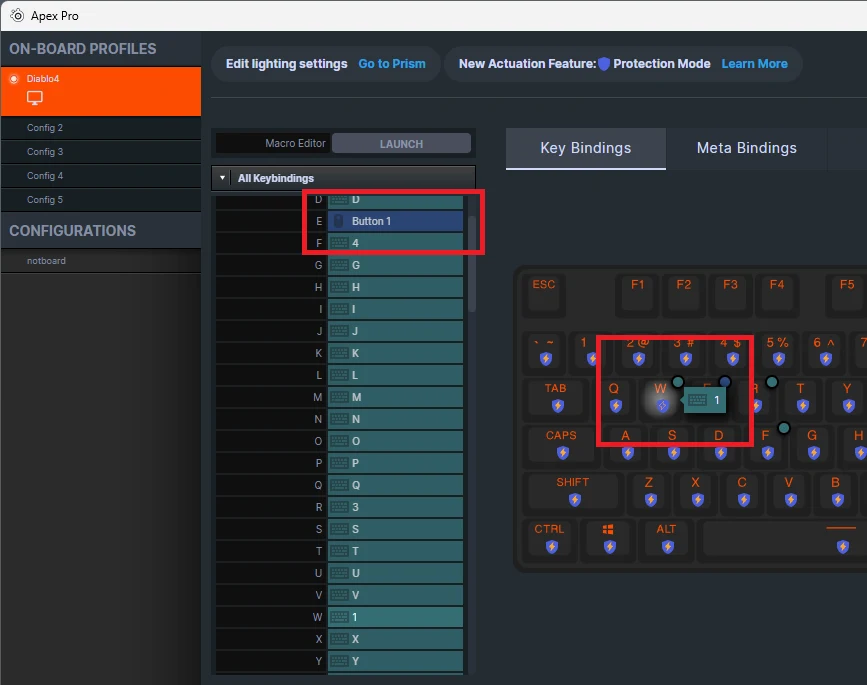
'W' is bound to '1' at 0.1 Actuation
'W' Dual Actuation is set to 4.0 and Dual Bindings is bound to '2'
'E' is bound to Left Click (Mouse Button 1)
'E' Dual Actuation is set to 4.0 and Dual Bindings is bound to Right Click (Mouse Button 2)
'R' is bound to '3'
'F' is bound to '4'
With the aforementioned bindings, just tapping 'W' will activate the ability bound to '1'. Pressing 'W' all the way down will activate the ability bound to '2'.
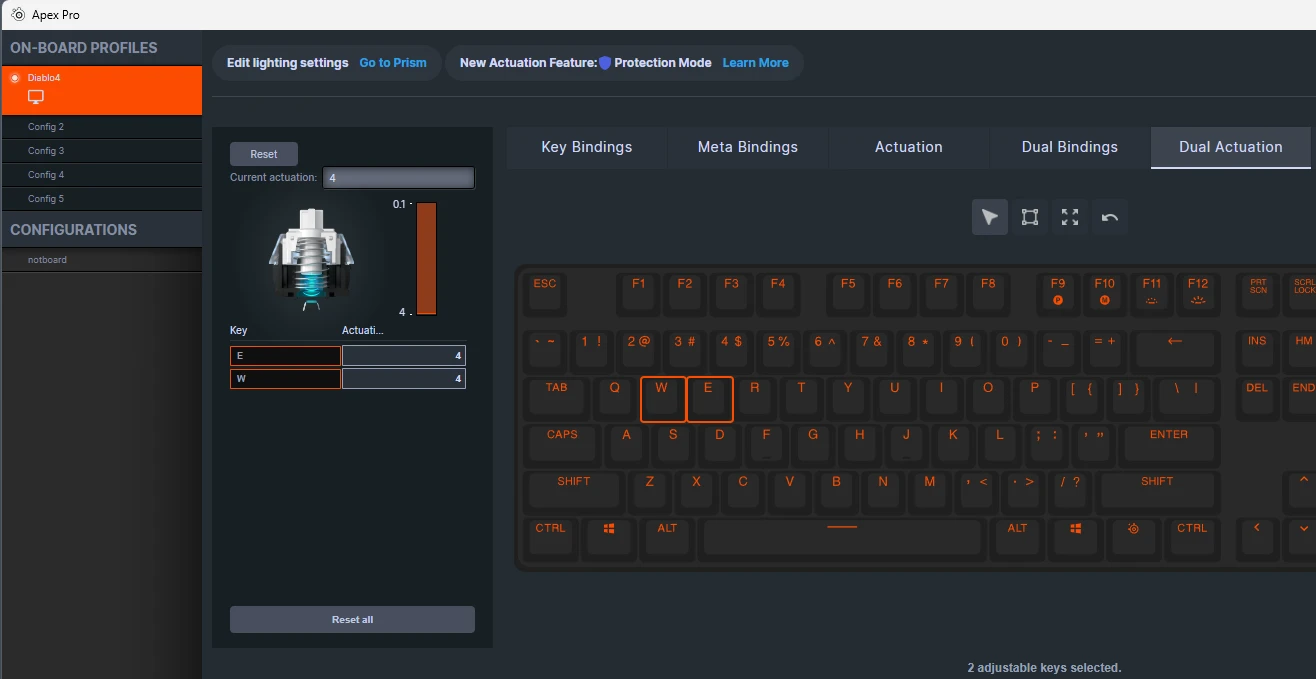
The same goes with the abilities bound to Left and Right click. Tapping 'E' will activate the ability bound to Left Click, and pressing 'E' all the way down will activate the ability bound to Right click.
Navigating is now done lightly tapping the 'E' key all the time. This only gets a little tricky when riding the mount, which you can still just hold down the left mouse button when riding a mount if it's not comfortable trying to hold the 'E' key between 0.1 and 4.0.
Necromancer build
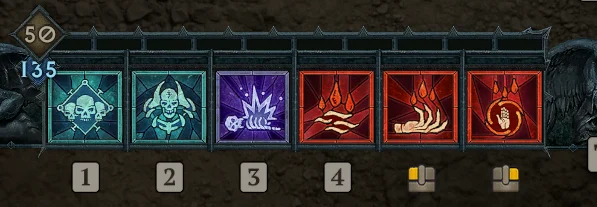
For my Necromancer I had the following ability bindings:
1 - Raise Skeleton
2 - Golem
3 - Corpse Explosion
4 - Ultimate (I liked Blood Wave)
Left - Hemorrhage
Right - Blood Surge
Tapping 'E' would hemorrhage and bottoming out 'E' would trigger the Blood Surge. This felt very satisfying and was pretty effective even playing on Hardcore for a while.
Tapping 'W' would raise a skeleton when needed and bottoming out 'W' would trigger the Golem's ability.
My left index finger would happily be exploding every corpse in sight with Corpse Explosion on the 'R' key (bound to 3) and when the opportunity was just right, comfortably glance lower to trigger the Ultimate.
Rogue build
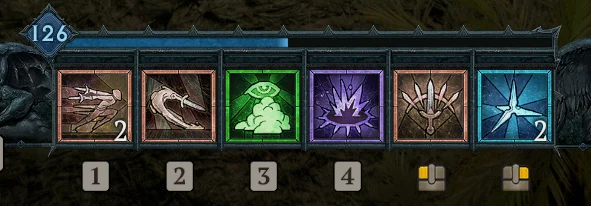
For a Rogue build, I have the following ability bindings (same keyboard configuration):
1 - Dash
2 - Shadow Step
3 - Smoke Grenade
4 - Death Trap
Left - Flurry (Improved Flurry)
Right - Caltrops
This again feels really nice to tap and/or hold 'E' for nearly-endless Flurry. Getting too hot, or want to trigger the Caltrops bonuses? Bottom out 'E', release, and re-tap to get back in the fight. Holding SHIFT so that your 'left-clicks' don't move you helps wity any 'standing still' bonuses.
For 'W', a tap will Dash, but again, get into some trouble and need to become unstoppable? Bottom out 'W' and you Shadow Step your way to safety (or to the Elite you're trying to take out first!).
What if I need to type?
Due to the remapping of W, E, R, and F, it's nice to have a second config to switch to if you need to type a message, e.g. when using in-game chat. The way I do this is to have only 2 configs enabled on the Apex PRO. This can only be done via the OLED menu on the keyboard.
Hold the media button below the scroller next to the OLED to open the menu on the OLED.
Scroll down and selet 'Configs'
Scroll down and select 'De/Activate Configs'
In the 'Deactivate Configs' menu, ensure only the first 2 configs are enabled. Config 3-5 should show an empty checkbox
Now only the first two configs will swap when using the SteelSeries Key + F9(P) hotkey to quick-switch configs. Make sure to do the above steps first or you will be switching between 5 configs.
Also check this out:
Wordsmith at SteelSeries. Enthusiastic about Dota 2 and fighting games. A cat dad.