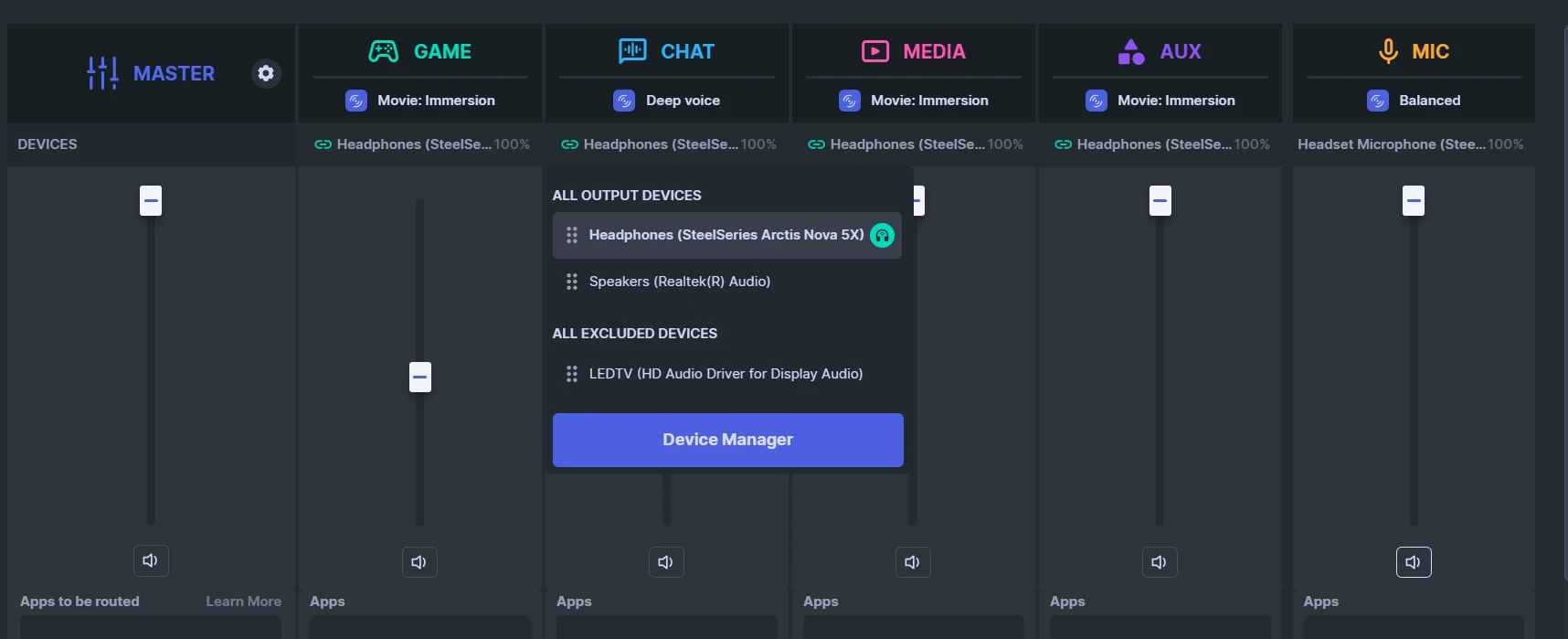
First, let's make sure the right devices are assigned in the right spots. If you click on the Devices drop down under the appropriate column, you can do so.
In CHAT, the blue column, assign your headset as the device, such as Arctis Nova 5X Wireless. CHAT is for programs that use voice, Discord and similar applications. With this column, you can adjust the volume of just what you hear from other people, which is very useful (GAME is the main one for applications).
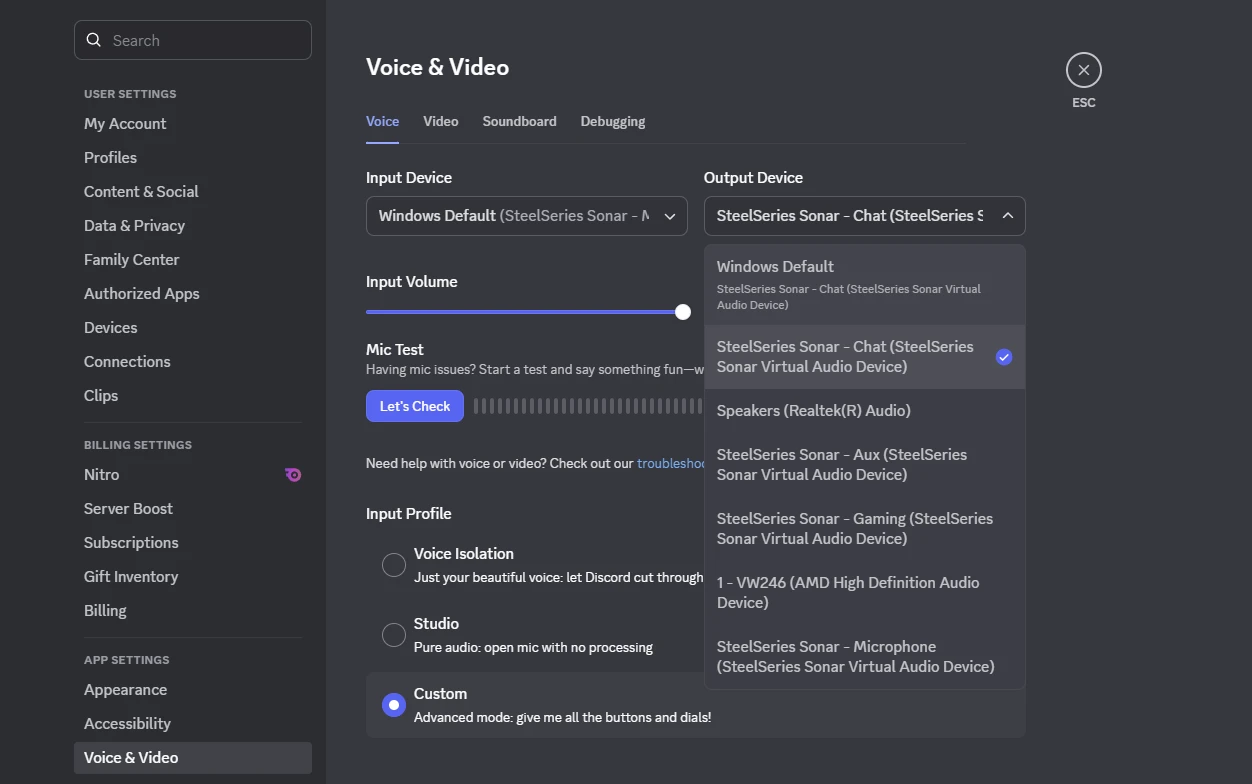
For CHAT in Discord, we will assign SteelSeries Sonar - Chat.
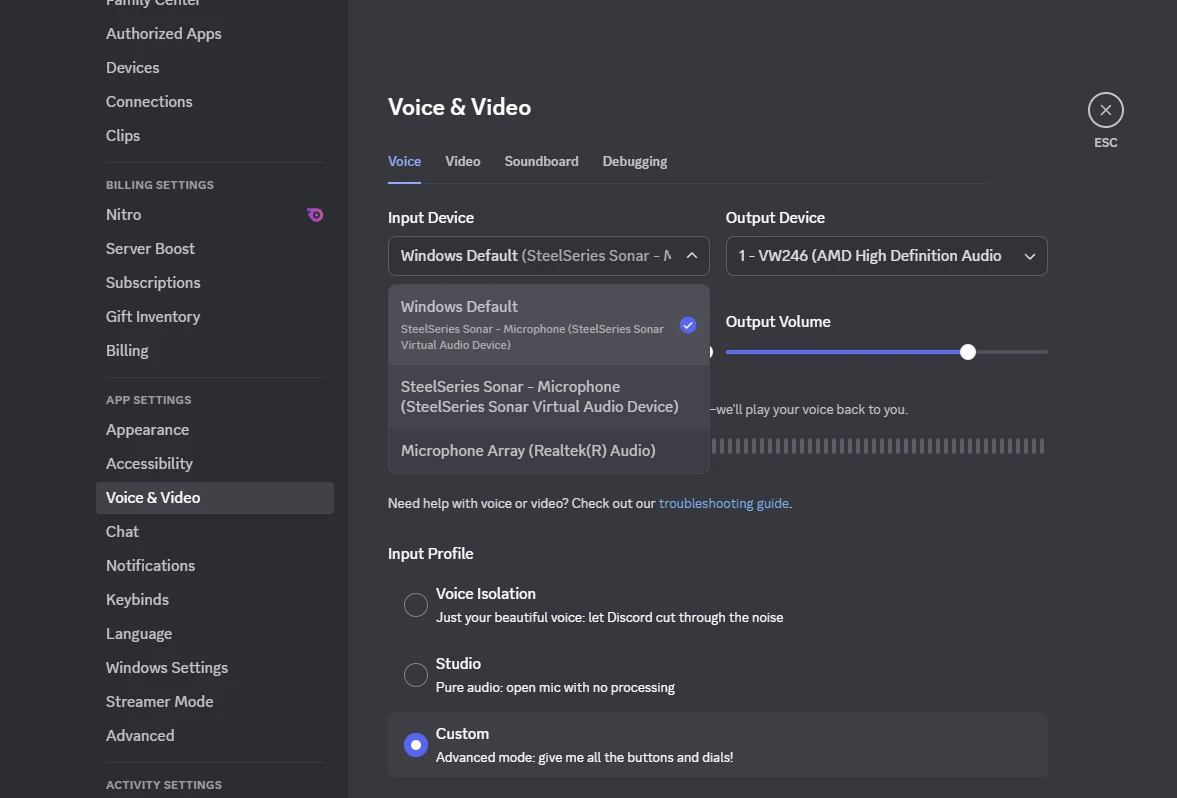
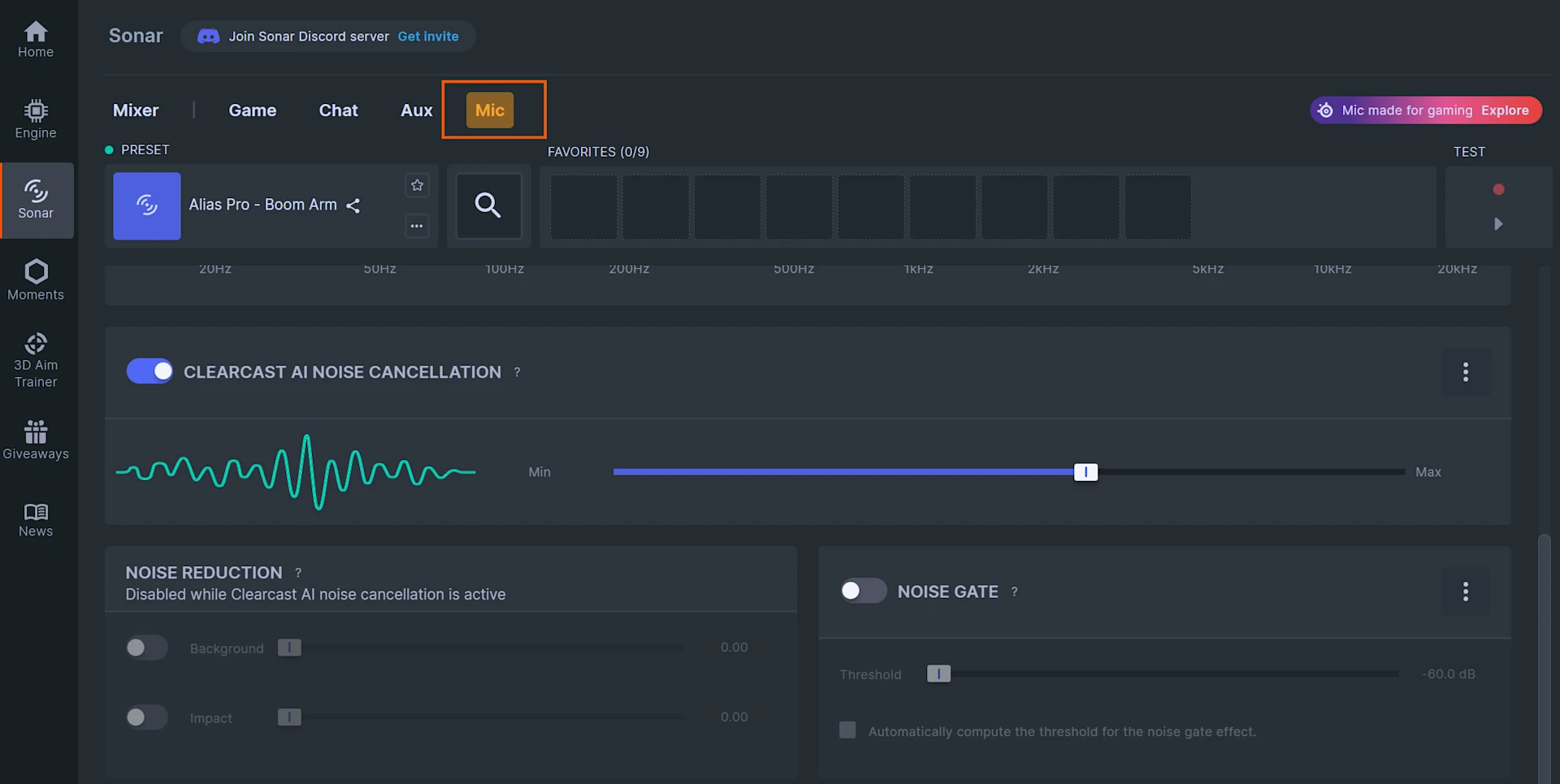
Next, you can do so similarly with MIC; click on the dropdown and assign the headset microphone to it. This mean that SteelSeries Sonar - Mic will use that microphone.
For Mic input in Discord and in other applications, we will assign SteelSeries Sonar - Mic.
(Note that if you don't want to have the MEDIA and AUX columns, you can turn them off!)
How to setup SteelSeries GG Sonar devices in Discord