



How to Use the Arctis Companion App with Arctis Nova 7 Gen 2
Get yourself on the Arctis Companion App ASAP.
Learn how to use the Arctis Companion App with your Nova 7 Gen 2.
You're all set with your new Arctis Nova 7 Wireless Gen 2 (did you get the Magenta?). Or, you're looking to upgrade and get it. Either way, you should be looking at installing the Arctis Companion App, your essential control hub for nearly everything related to your headset.
Download the Arctis Companion App
Adjust various settings from the comfort of your phone, and unlock a world of powerful audio presets for your games on console.
Now that that's out of the way, let's connect your headset to the app.
How to Connect Arctis Nova 7 Wireless Gen 2 to the App
Once you open up the app, make sure your headset is ON. While Bluetooth is off, press the Bluetooth button on the headset and hold it for 4 seconds. The blue light should blink rapidly.
Then, use the Bluetooth scan feature on your phone and pair the headset.
The Arctis Companion app will recognize the headset and open up settings.
If you're having issues, try restarting a few things: your phone, Bluetooth, and the headset. Our Support page has a few troubleshooting steps. Make sure you're holding the Bluetooth button for 4 seconds to initiate pairing mode (rapid blinking).
Apply Audio Presets with the Arctis Companion App
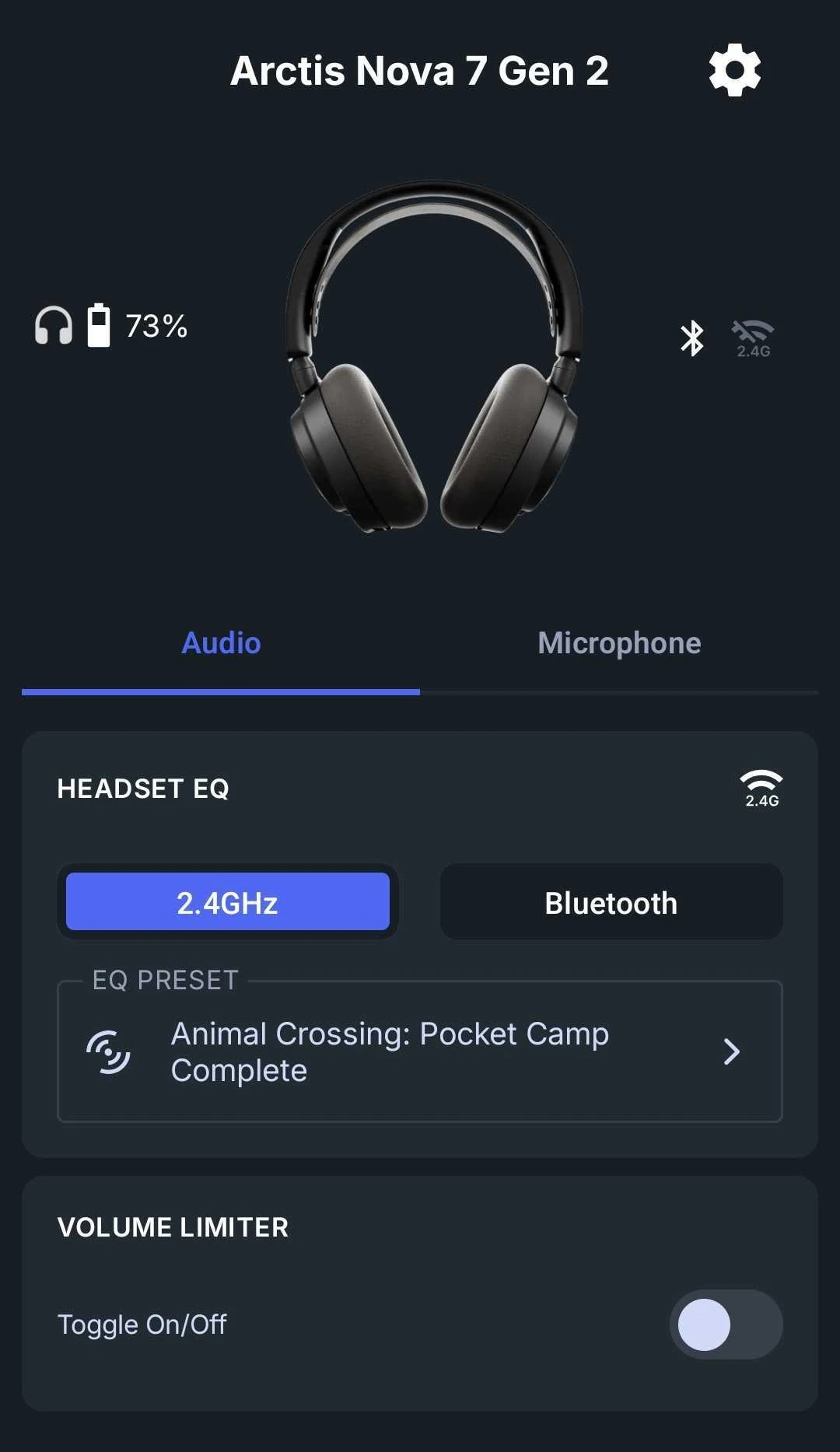
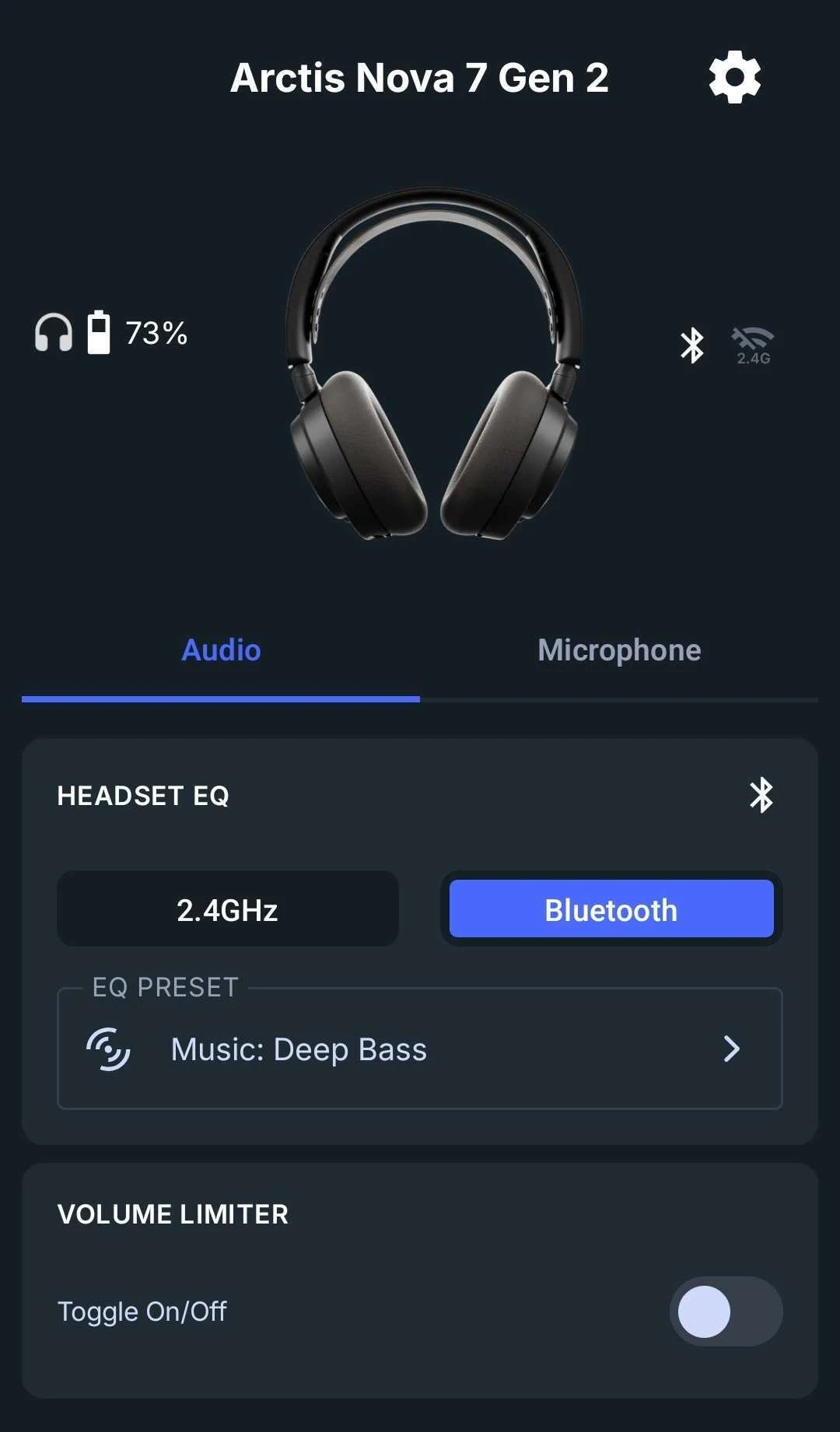
The real power of the app comes in two avenues: the ability to adjust settings anywhere, and accessing audio presets for a growing variety of games, counting 200+, which were mostly available on PC via Sonar.
Now, with just a few taps, you can select the best audio settings for games like Fortnite, Minecraft, Call of Duty, and so on.
Tap the EQ Preset box and either search or scroll for the game you're playing; the EQ will apply instantly.
These will adjust the audio on an EQ level, beyond what you can do in the games; so the finer details like footsteps will be highlighted for you. In less competitive games, various immersive sounds are heightened, adding to that feel of being "right there" in the action.
Mic EQ and Additional Settings
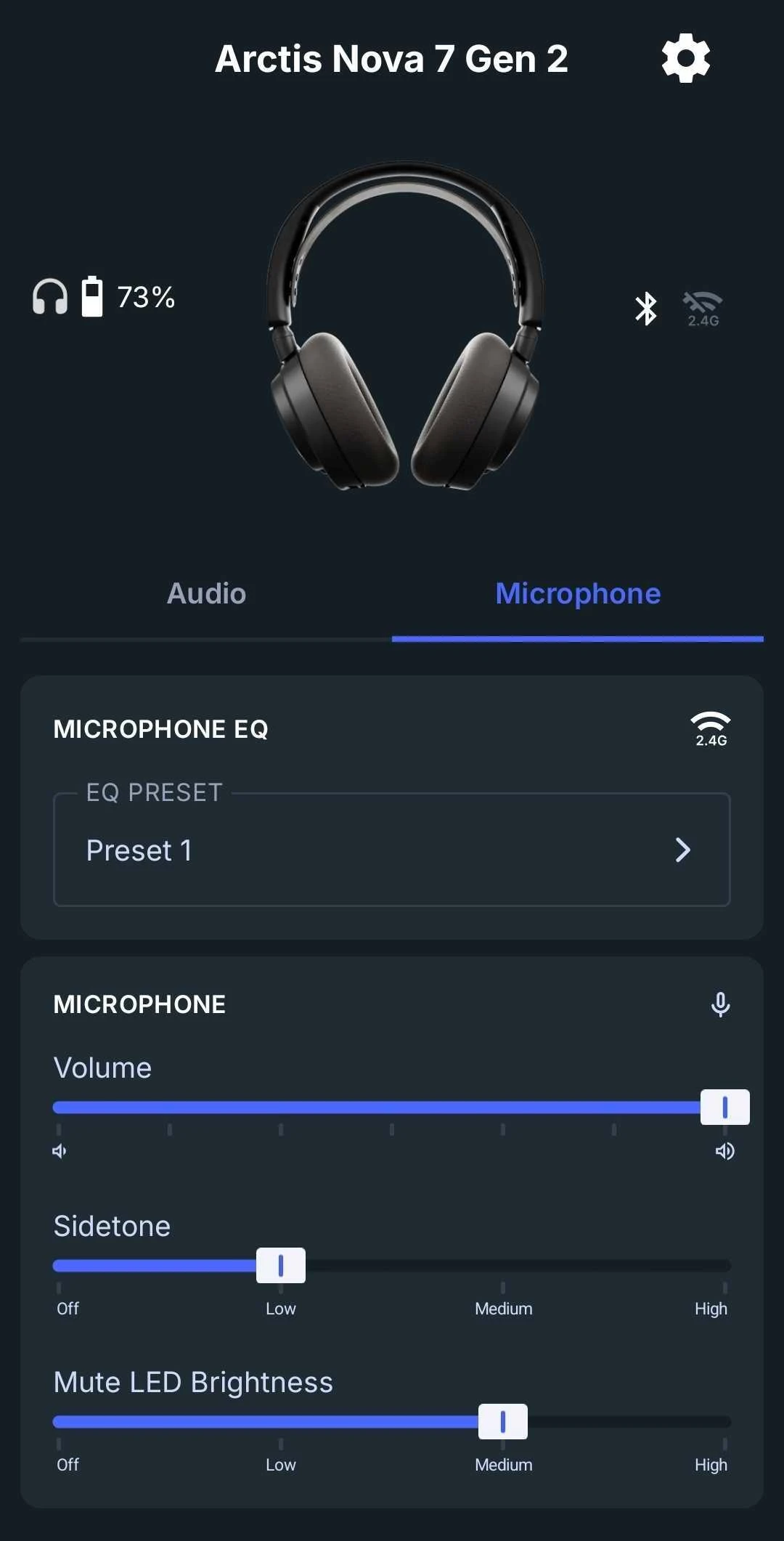
Tap on the Microphone tab to adjust various settings, including an EQ preset, for your Arctis Nova 7 Wireless Gen 2 mic. Volume and Sidetone are useful as well; the latter is how much you hear yourself when speaking.
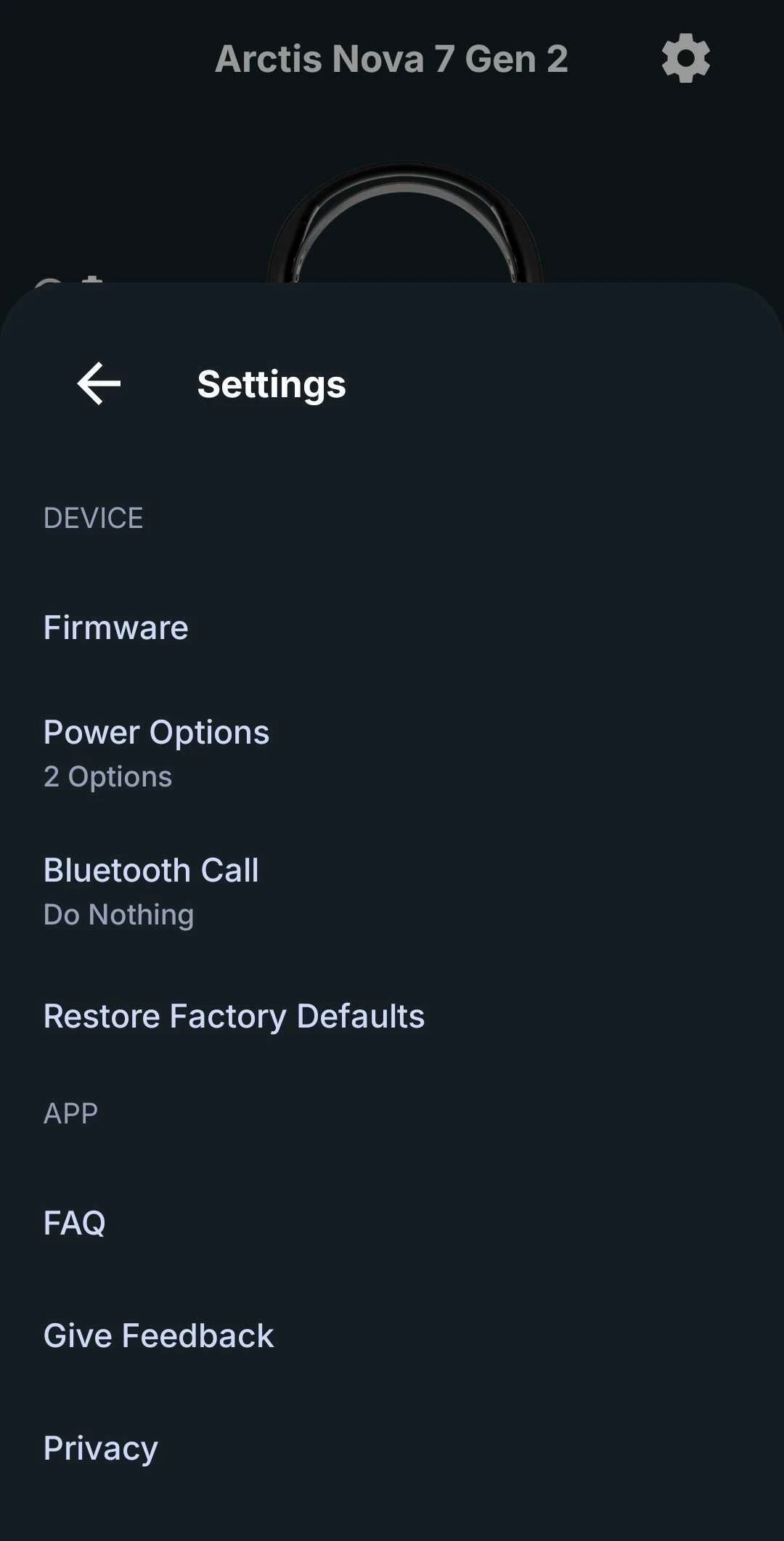
The cogwheel at the upper right corner also has a few useful settings. You can adjust Bluetooth Call behavior and Power Options. If you need to, you can restore everything to factory defaults.
Note that your headset will remember all these settings, regardless of whether you use them with Sonar or not. Adjust everything you need from the comfort of your phone, particularly when on the go or when using the headset with a console.
Wordsmith at SteelSeries. Enthusiastic about Dota 2 and fighting games. A cat dad.