



Best Audio Settings for GTA V
Get better audio in GTA V and enjoy the game a great deal more.
There's a simple trick to get much better audio in GTA V, and we'll show you how. It's easy. No matter what platform you play.
Sound quality can increase your enjoyment so much more,, and given the realistic setting of GTA V, you'll be surprised how much of an impact this will have.
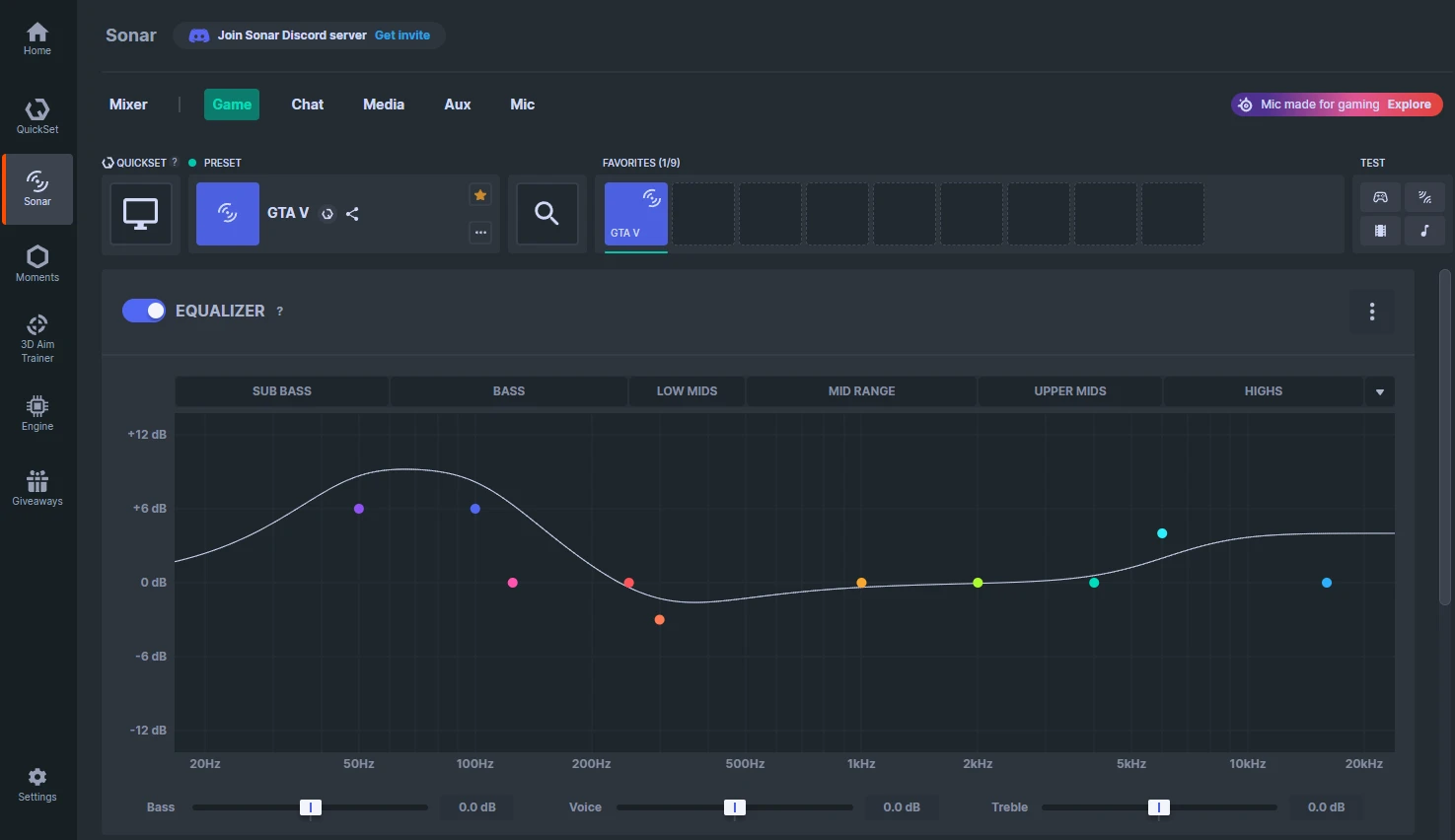
Our Sonar preset uses parametric EQ frequencies to target specific sounds in GTA V and enhance them. Here are some of the ways it livens up your soundscape:
Low bass frequences boosted to add tension to certain actions
Immersion of battle scenes deepened
Boosts the rumble of the cityscape and car sounds
How to get best audio in GTA V on PC: setup steps
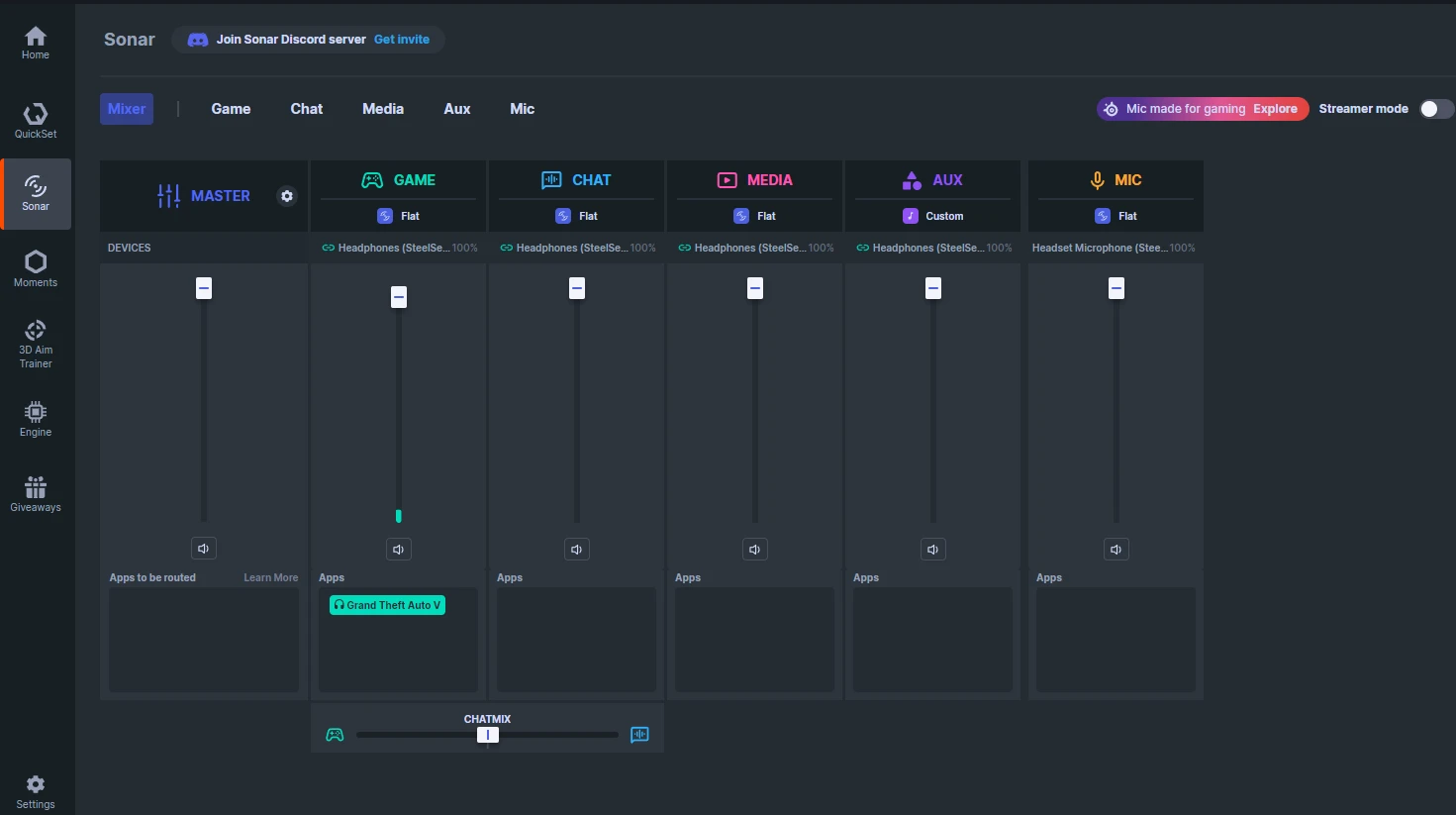
Sonar is a complete audio suite that manages all your channels. It is essential for getting the best audio, as it improves the sound on your headset (and you can use any kind of headset, not just a SteelSeries gaming headset!).
Sonar uses detailed parametric equalizers to really get into the nitty-gritty of the sound you hear. There are pre-made, game-specific presets, and we have one for GTA V.
Sonar will walk you through the setup steps if it's your first time, then you can go ahead and switch over to the GTA V preset. Let's see how.
Find and apply the GTA V audio preset
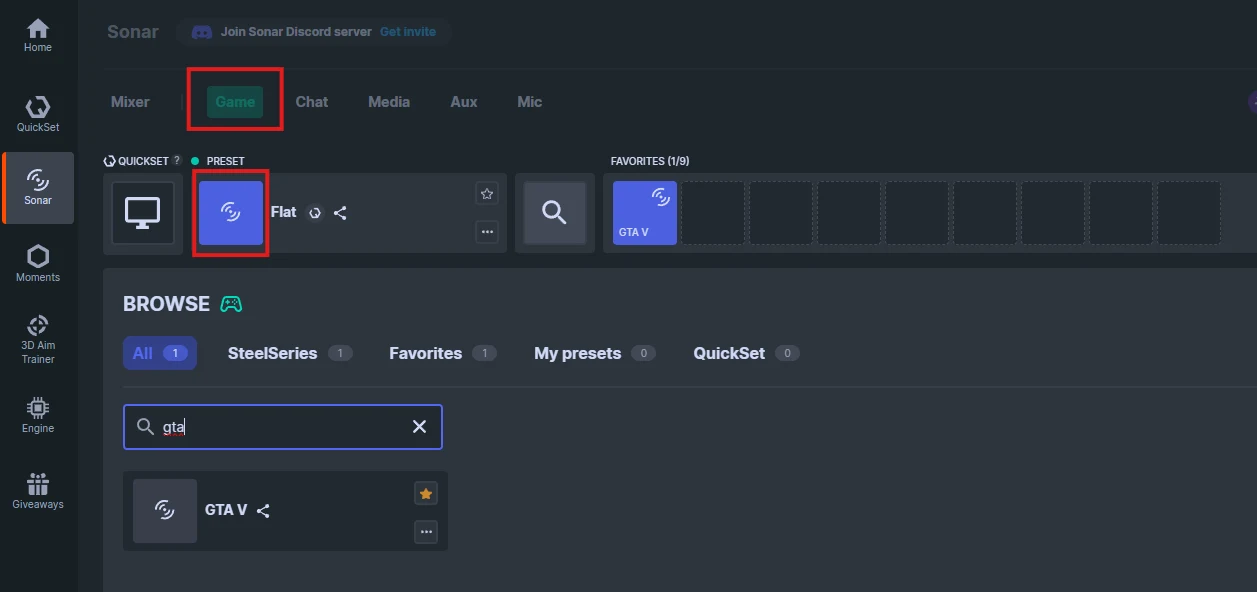
Click on the green Game tab to modify this sound channel. Click on the Preset field to bring up a menu of presets.
You can either scroll or type in GTA into the search bar; then click the GTA V sound preset to activate it; you can also click on the star icon to favorite this preset and it will be added to the favorites bar for easy selection in the future.
Once applied, you can click the X on the right to exit Preset selection and your EQ sound preset should look like this.
Check GTA V settings in the game
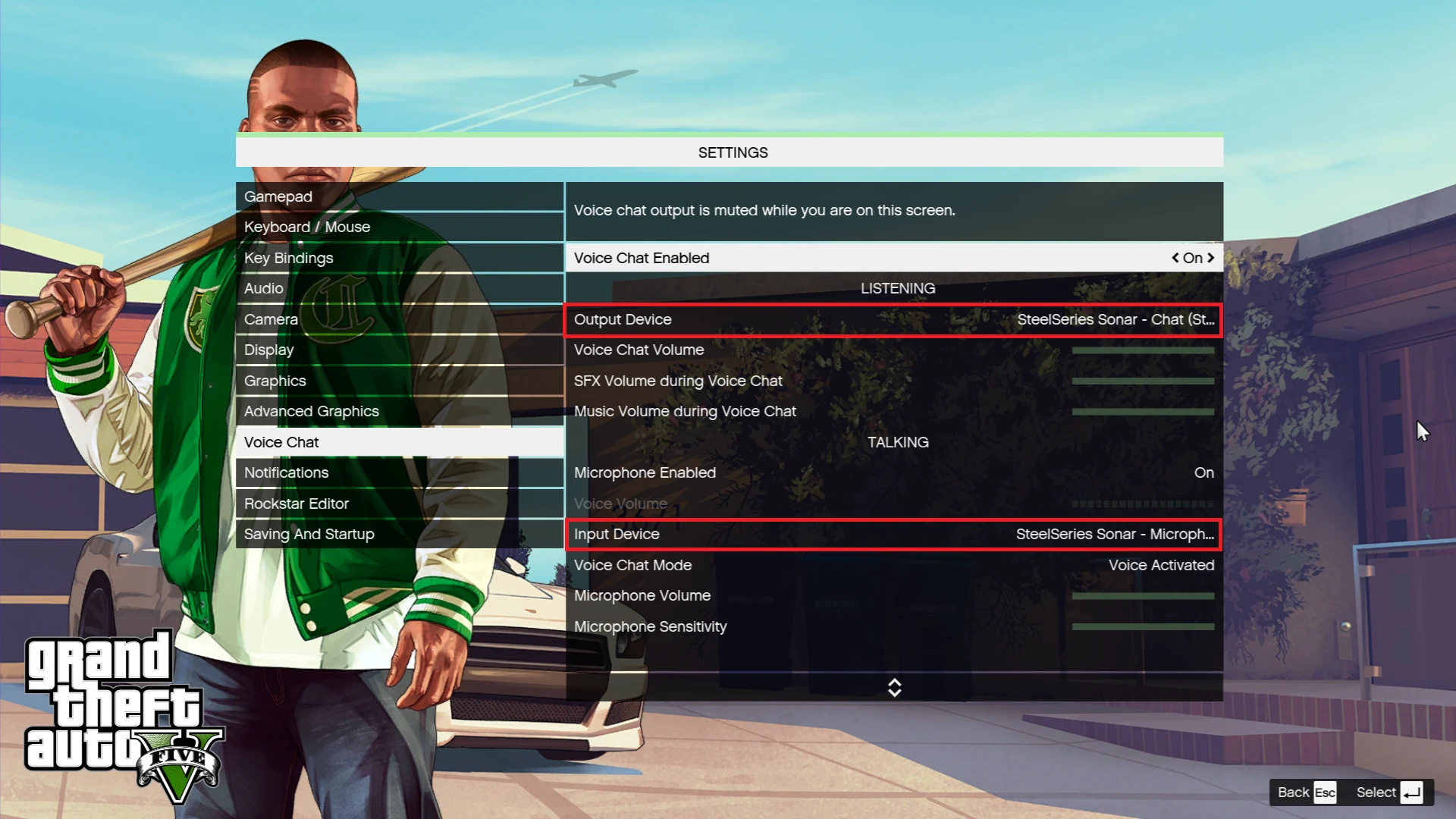
When it comes to the in-game settings, there isn't much to do. The Audio settings don't have anything relevant; just make sure your PC is using the SteelSeries Sonar - Gaming as the audio device, and in Sonar, select the device that the channel is using (as in your headset or speakers). This ensures that the Preset you selected for the Game channel is being used.
Under Voice Chat, you can select the appropriate devices managed by Sonar: SteelSeries Sonar - Chat for incoming audio chat, and SteelSeries Sonar - Mic for your voice.
This way, you can manage the volume of voice chat separately from the game audio by moving the slider in Sonar. For your Mic, there are also presets you can apply to your voice if you want — Walkie Talkie is a fun one.
How to get the best GTA V audio on console
There is also a way to get this GTA V audio preset on console: PlayStation and Xbox.
With our handy Arctis Companion App (Android/iOS), we have opened the way to access 200+ game-specific audio presets to highlight important audio cues and raise immersion even more. And of course, GTA V is on the list.
The Arctis Companion App works with:
Arctis GameBuds (any version)
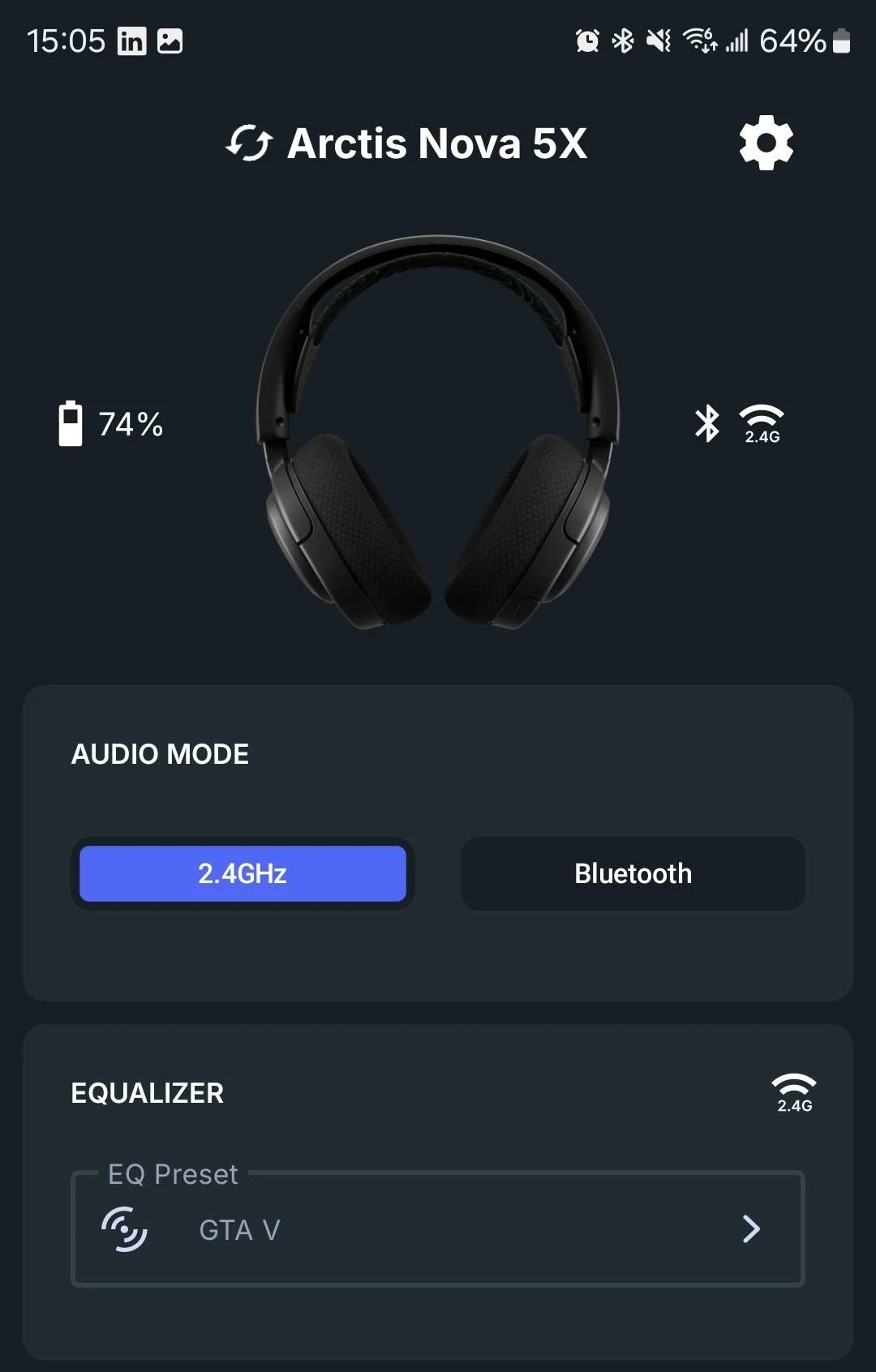
Once your phone is connected to your headset or earbuds, you can control a variety of settings with the app. You can adjust these settings at any time, even while you started up GTA V or if you're switching between games.
Make sure to be in 2.4GHz mode, as that is best suited for gaming. You can have different audio presets set up for Bluetooth mode; the app will remember them. You switch between 2.4GHz and Bluetooth modes with a singlet tap of the power button (Quick-Switch feature).
Tap the Equalizer section to find and apply the GTA V preset.
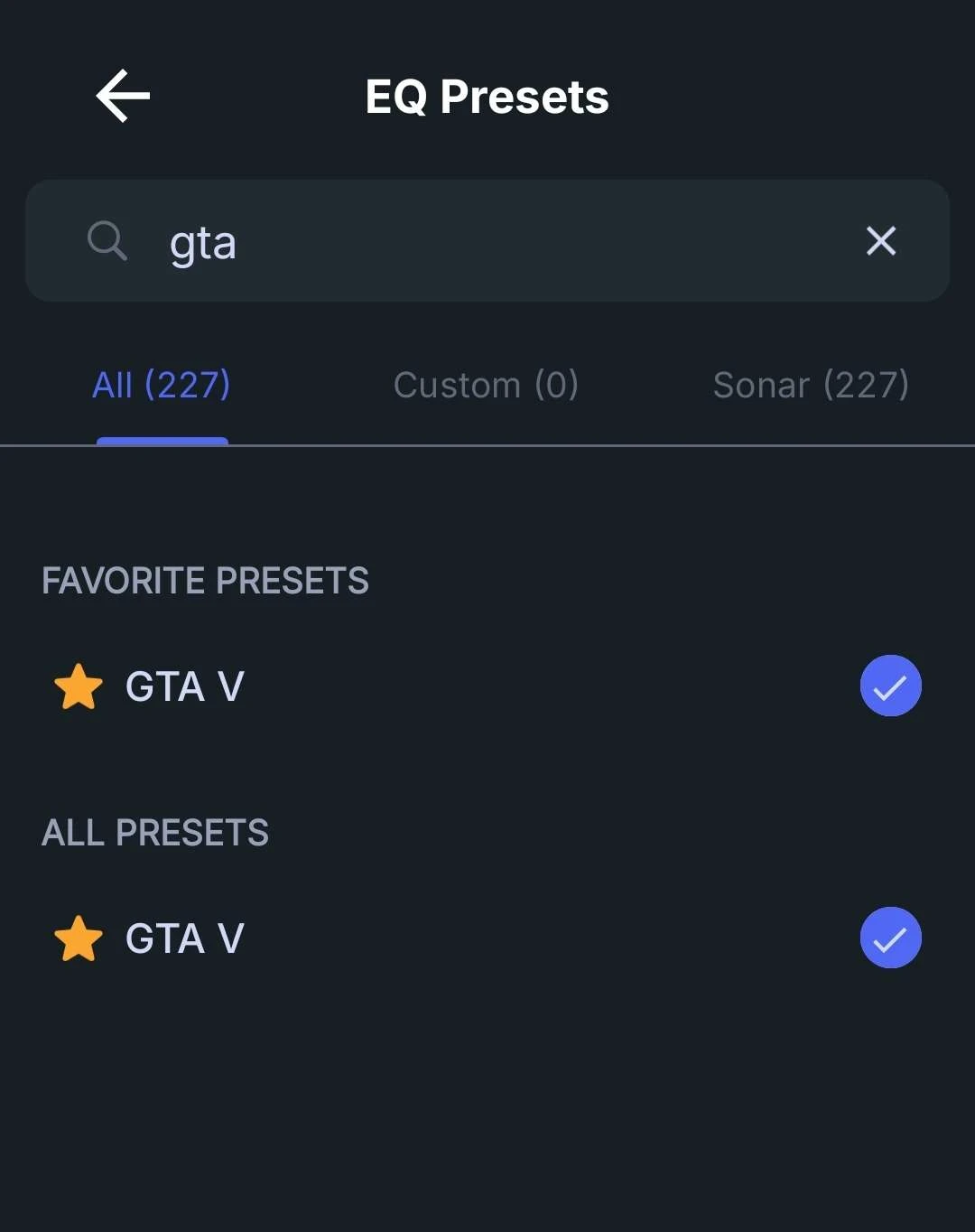
Either scroll for the preset or type in "GTA" into the search bar to find it. You can hold and swipe to the right to favorite this preset in the app. Touch it to apply it, and when you go back to the main app screen, you should see the GTA V preset applied.
This will already work with your device, so there's no need to make any other adjustments. You are always free to swap from this preset to another one, even while mid-game, or when booting up another title. It's that easy and convenient to have even better-matching sound to whatever you're playing.
Whether you play GTA V on PC or console, we've figured out the best audio settings for the game for you. Now you can enjoy city rides and the soundtrack so much more, especially when it's peppered with explosions of battles.
Get the best audio for GTA V right now with Sonar, and try one of our gaming headsets to complete the experience.
Wordsmith at SteelSeries. Enthusiastic about Dota 2 and fighting games. A cat dad.