



How to Share Gaming Clips on TikTok
Moments now allows easy sharing of your clips to TikTok and YouTube Shorts!
Are you missing out on views by not sharing your videos in vertical format? If you aren't sure how to do it, we have an easy method. Here's how.
Content creators often try to spread their videos across many platforms, and that will include TikTok and YouTube Shorts.
But those narrow screens! How on earth would you edit your videos to fit on there? And quickly?
There's an easy way with SteelSeries Moments, which expanded its functionality to easily let you convert your hype gaming clips into viral* content on the ADHD-centric content streams.
All it takes is a few easy clicks. Let's show you how.
*content virality is not guaranteed by SteelSeries, but keep trying anyway
How to Edit Gaming Clips for TikTok
The first step is to have some clips, and the best way to capture those from your PC games is through Moments — it's free and easy to use. It includes auto-clipping, super easy editing, and quick sharing to social media platforms.
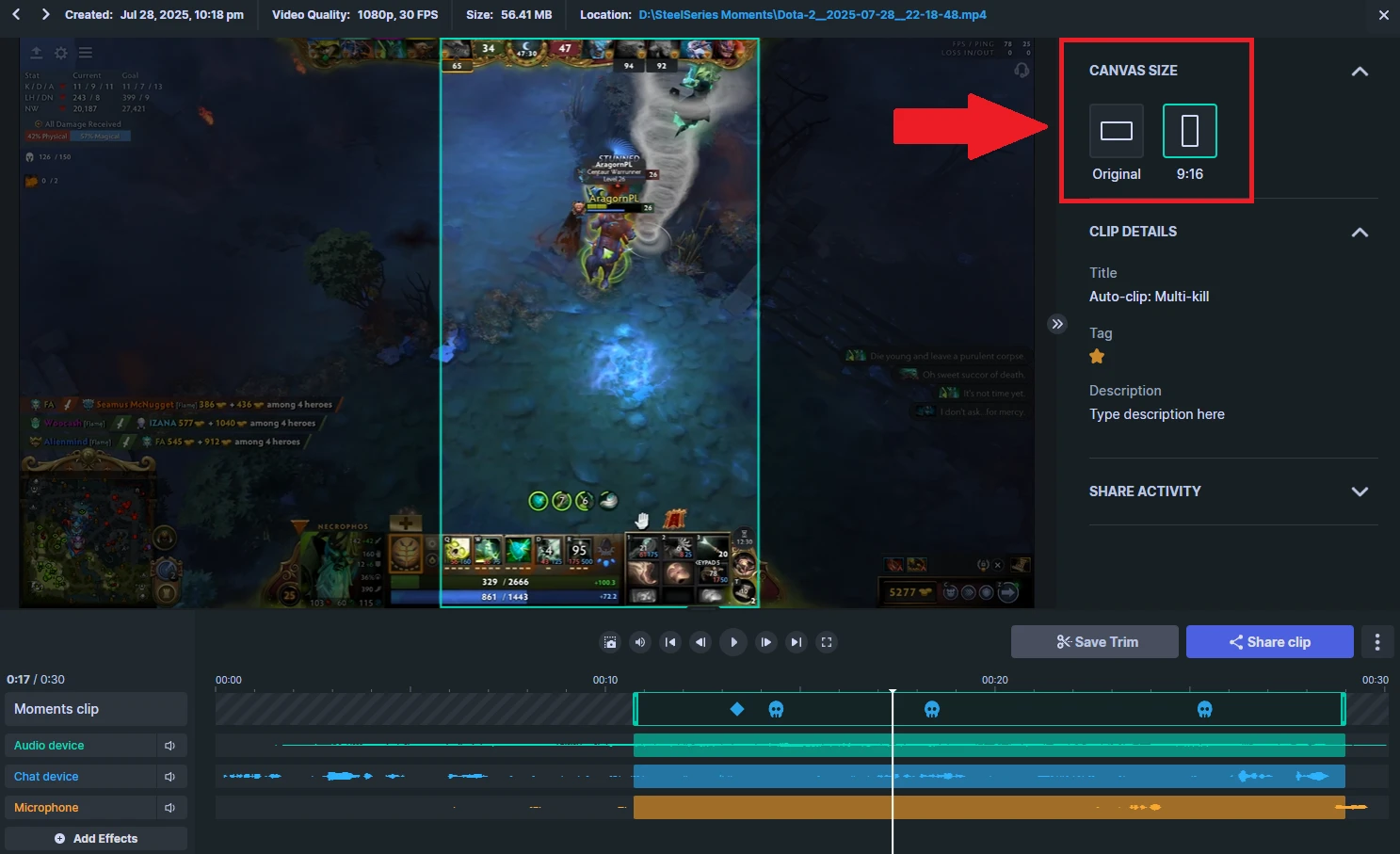
Once you have your clip open, in the upper right, select the canvas size to be 9:16. Then, you can also slide the selector on the clip preview to capture the most important section of the video.
Remember, you can adjust various aspects of the clip, such as its length and audio, or even adds GIFs, with Moments.
Once you're ready for the next step, click Share Clip.
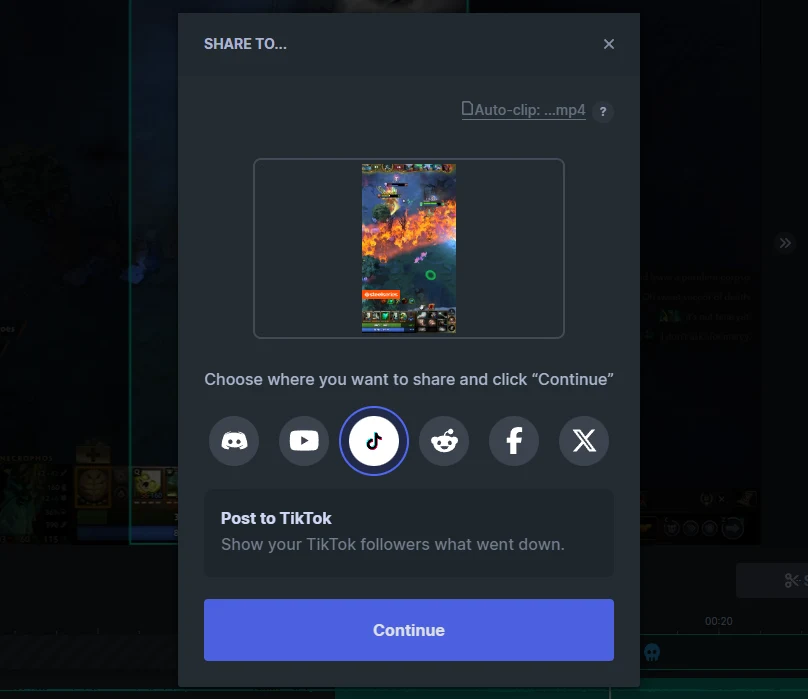
Log in to your TikTok account on your computer. In the next step, you'll be able to drag the video onto the TikTok upload screen directly.
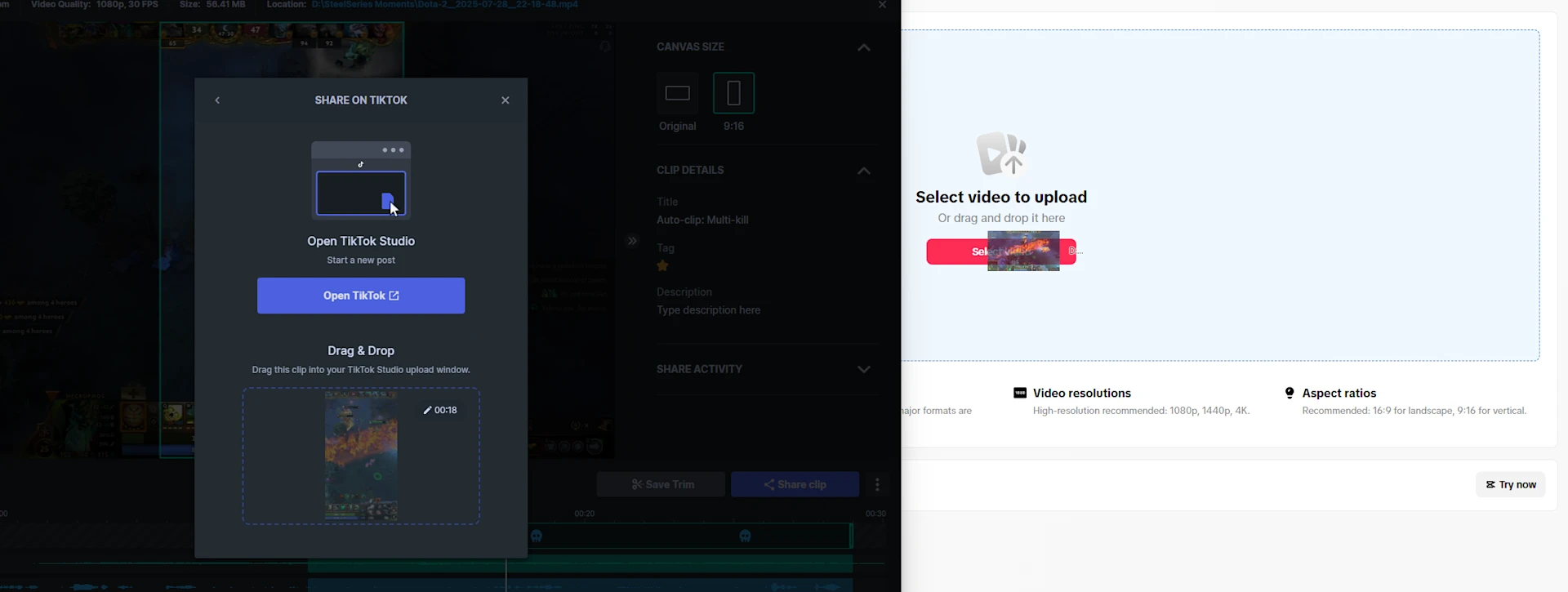
Just like so, with a simple drag and drop, your video clip is in the right dimensions for TikTok. From there, you can follow your typical configurations to set up the clip using the editor in TikTok. Note though that the name of the clip does carry over.
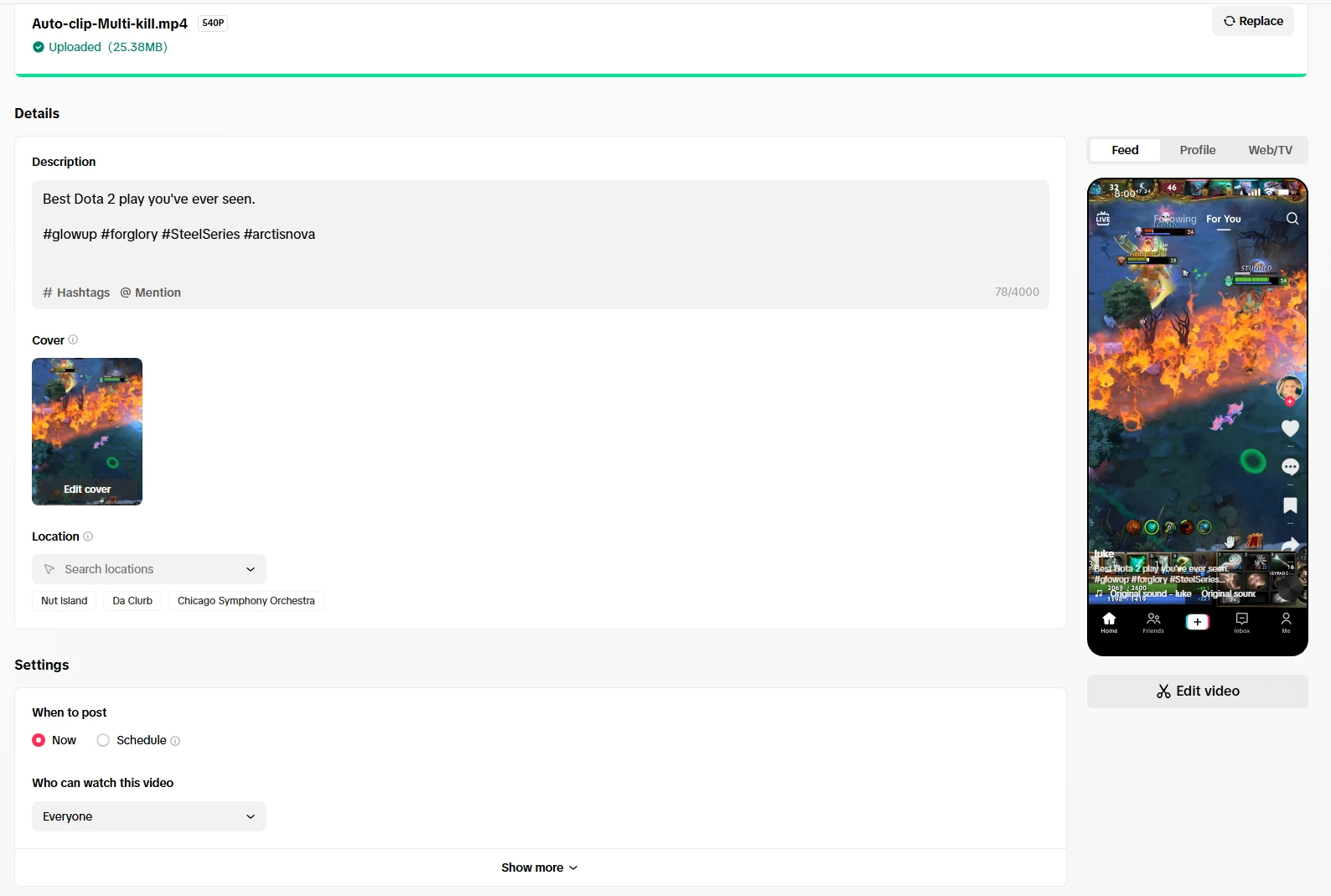
Configure your usual settings on TikTok. Write out the hashtags, set the schedule for publishing, and anything else that you may think about. Hit that publish button when you're ready, and there you go — you just successfully edited and posted your gaming clip on TikTok!
How to Share Gaming Clips on YouTube
Maybe you're not a TikTok person. Or maybe you want to cover even more platforms, which is the smart thing to do. Of course, Moments allows you to also quickly and easily export your clip to YouTube, and it automatically recognizes the clip as a Short. Here are the step.
It's quite similar to what we talked about above. Choose your clip and edit it, and when you select which platform to Share the clip to, choose YouTube instead of TikTok. You will be asked to connect your account if you haven't before.
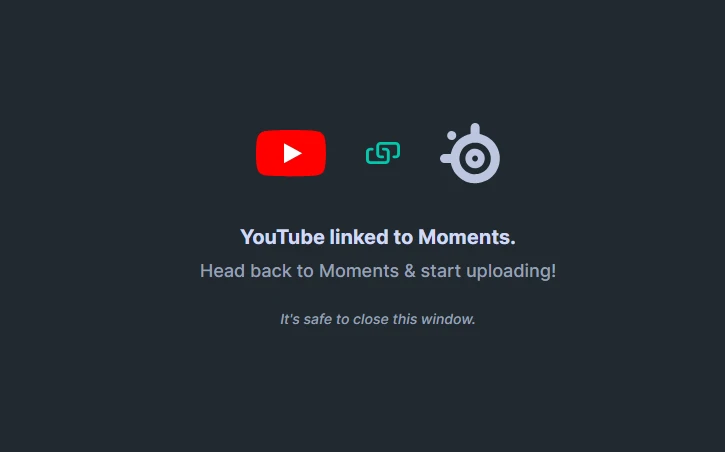
Once that's successful, return to the Moments screen, and keep going with the YouTube upload. You should see a screen like this that confirms a few things, such as the title of your clip.
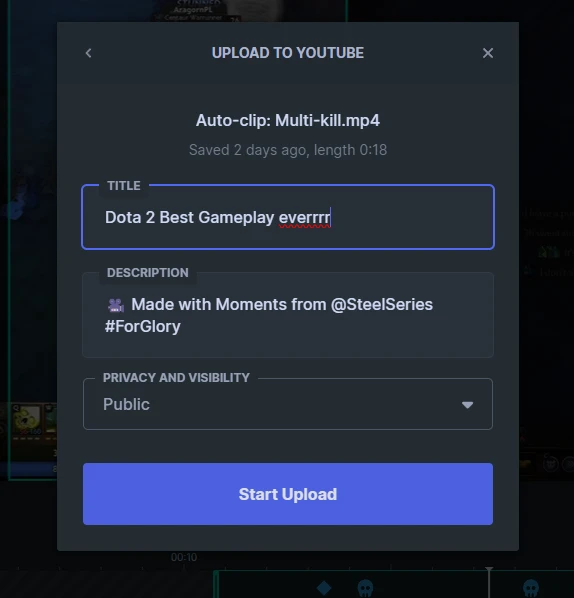
Adjust the details of your clip there, but don't worry; you will have another opportunity to overview all the details. Simply hit the Start Upload button and wait a bit, then proceed to your YouTube Studio account.
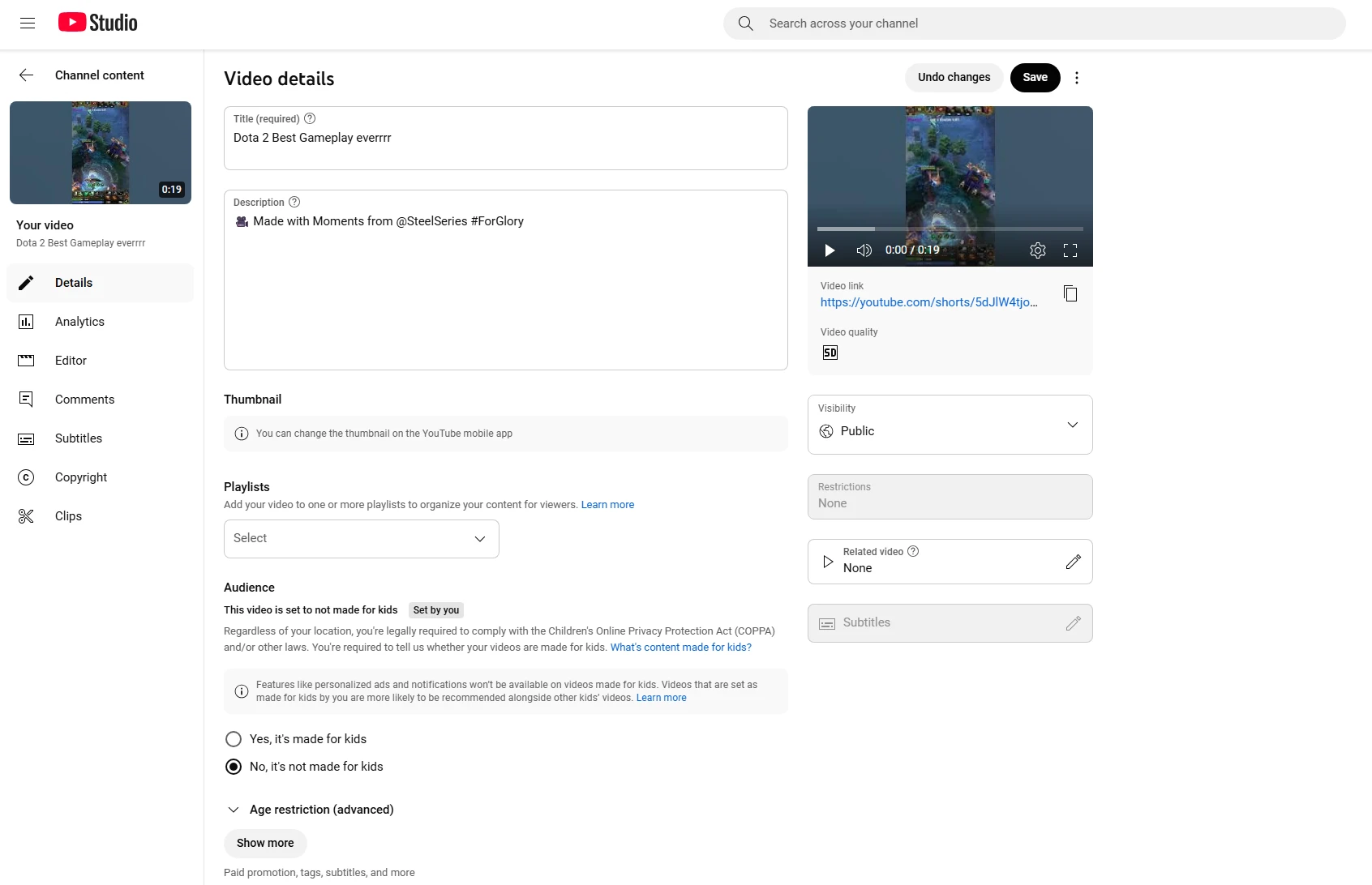
Note that YouTube does automatically recognize the video as a Short. Fill out all the details you need, such as Visibility, hashtags, description, thumbnail. etc. You're ready to hit Publish and your clip from Moments is live to share on YouTube!
Sharing Gaming Clips is Easy with Moments
Whether you want to show your buddies on Discord your next-level play, or you want to go viral on TikTok and YouTube, Moments make it an easy and seamless experience to upload and share videos.
Frequently Asked Questions
How do I share a gaming clip on TikTok?
It's easy (and free) to do with SteelSeries Moments! Capture clips then use the sharing function to upload the clip directly to your TikTok account.
Before uploading, use the new canvas option to change the video screen to adapt it to the appropriate vertical size. Instructions above in this article.
How do I upload a video to TikTok from my PC?
Log onto TikTok on your browser on your PC. Once you have the clip edited in Moments, you can drag the clip over to the TikTok window.
If you're having issues with the drag, find your clip in your folder and upload it by searching for it in the directory.
You can see where your Moments clip are by following the address bar on the top of the Moments window when viewing a clip. In Settings, you can also view and change your default folder for the clip storage location. Moments saves all your clips locally, so they are available to use as video files.
How do I edit gaming clips for TikTok?
You can do it in Moments! Moments allows you to trim and even stitch multiple clips together with the Montage feature.
It's easy to simply drag the timeline, deciding when your clip begins and ends.
Adjust the various volume sources as well, and decide on the output canvas for TikTok as well.
Wordsmith at SteelSeries. Enthusiastic about Dota 2 and fighting games. A cat dad.